Staff mailboxes now connect on their own, every staff member can be connected, and formatted emails keep their own design.
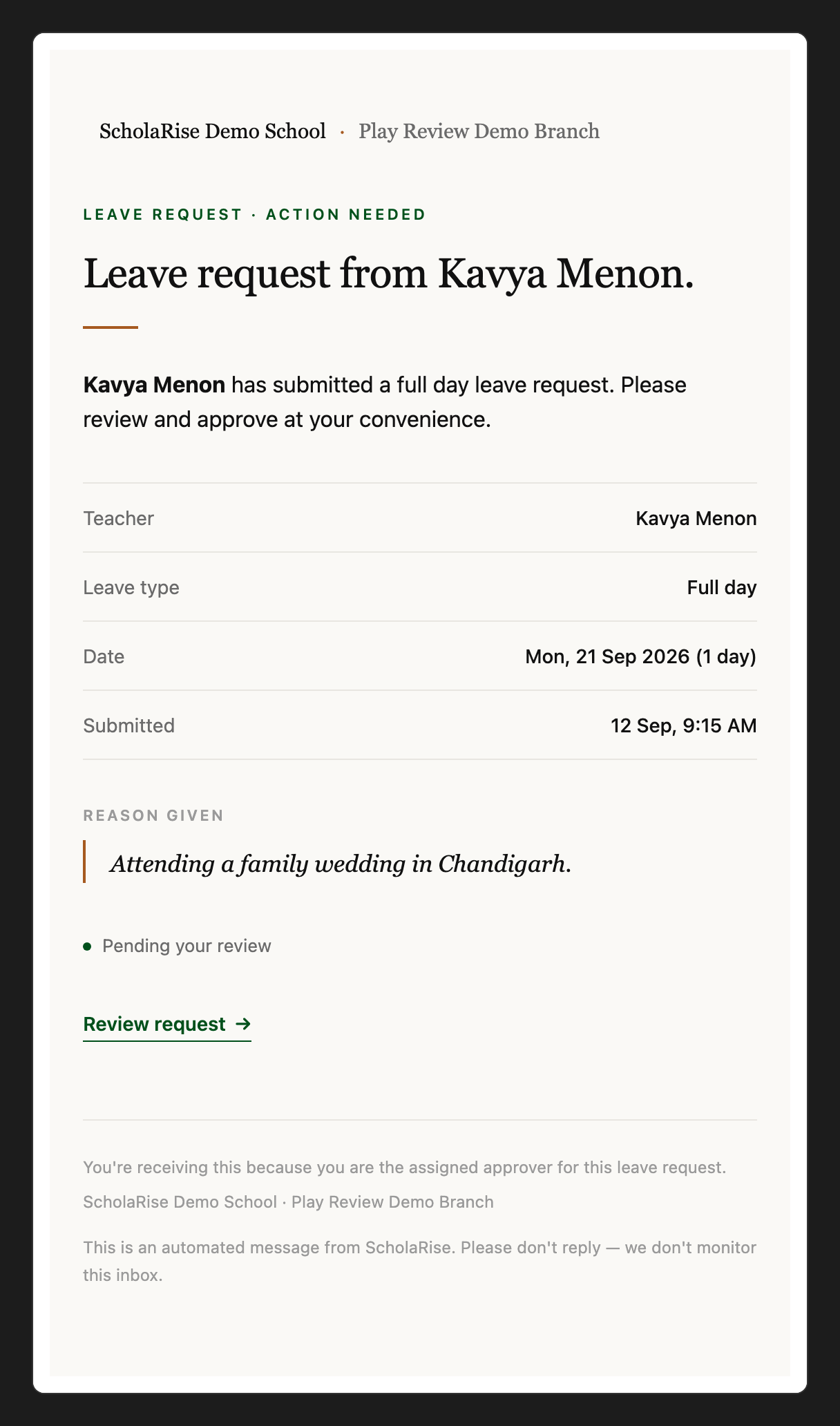
A ScholaRise leave-request email shown with its own layout, fonts and colours
Communication
Your mailbox connects on its own
The first time you open Mail, your school mailbox is connected for you and starts filling in, with no setup needed from an administrator. Sign in with your school Google account so ScholaRise can confirm the mailbox is yours. Admins can turn this off in Mail settings.
Every staff member can be connected
Admins can now connect any staff member's mailbox from the Mailboxes tab, including staff who also appear as a parent or on a virtual class. When an account can't be offered, the list says how many were left out and why.
Formatted emails keep their design
Newsletters and formatted emails now show with their own layout, fonts and colours. Admins can download a mailbox again so older emails look right too.
The list stays put when you open an email
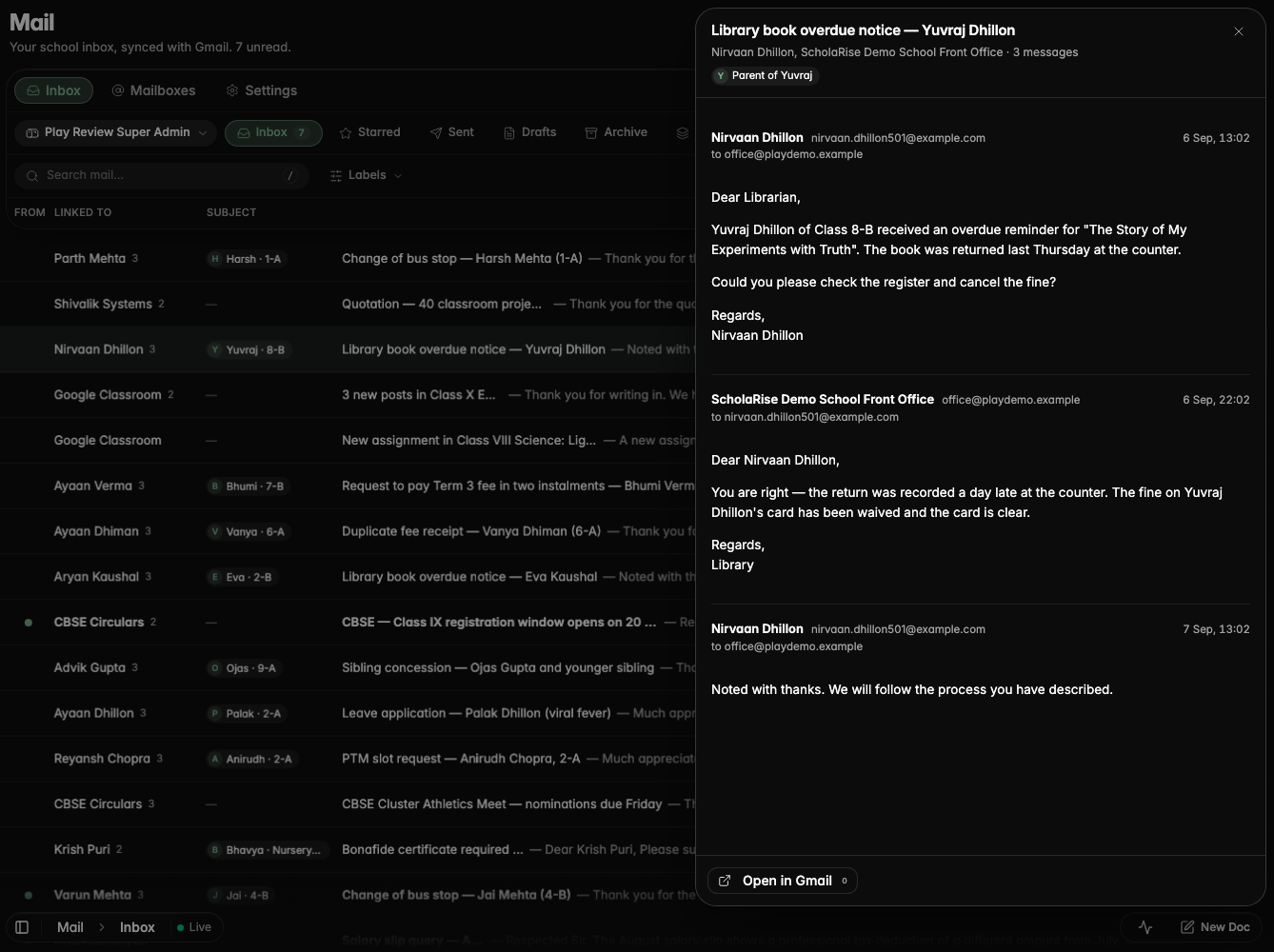
Opening an email no longer makes the message list jump, so you stay exactly where you were in your inbox.
Opening a message keeps the inbox list in place, with the opened email still highlighted
Platform
Module changes apply straight away
When a module is switched on for your school, it shows up for everyone straight away instead of after a few minutes.
Book a demoA guided walkthroughWeb · iOS · AndroidAvailable across India
The next step
See ScholaRise in your school.
A real walkthrough with someone who actually runs a school — we'll map what fits your
campus today and what's worth phasing in over the next year.