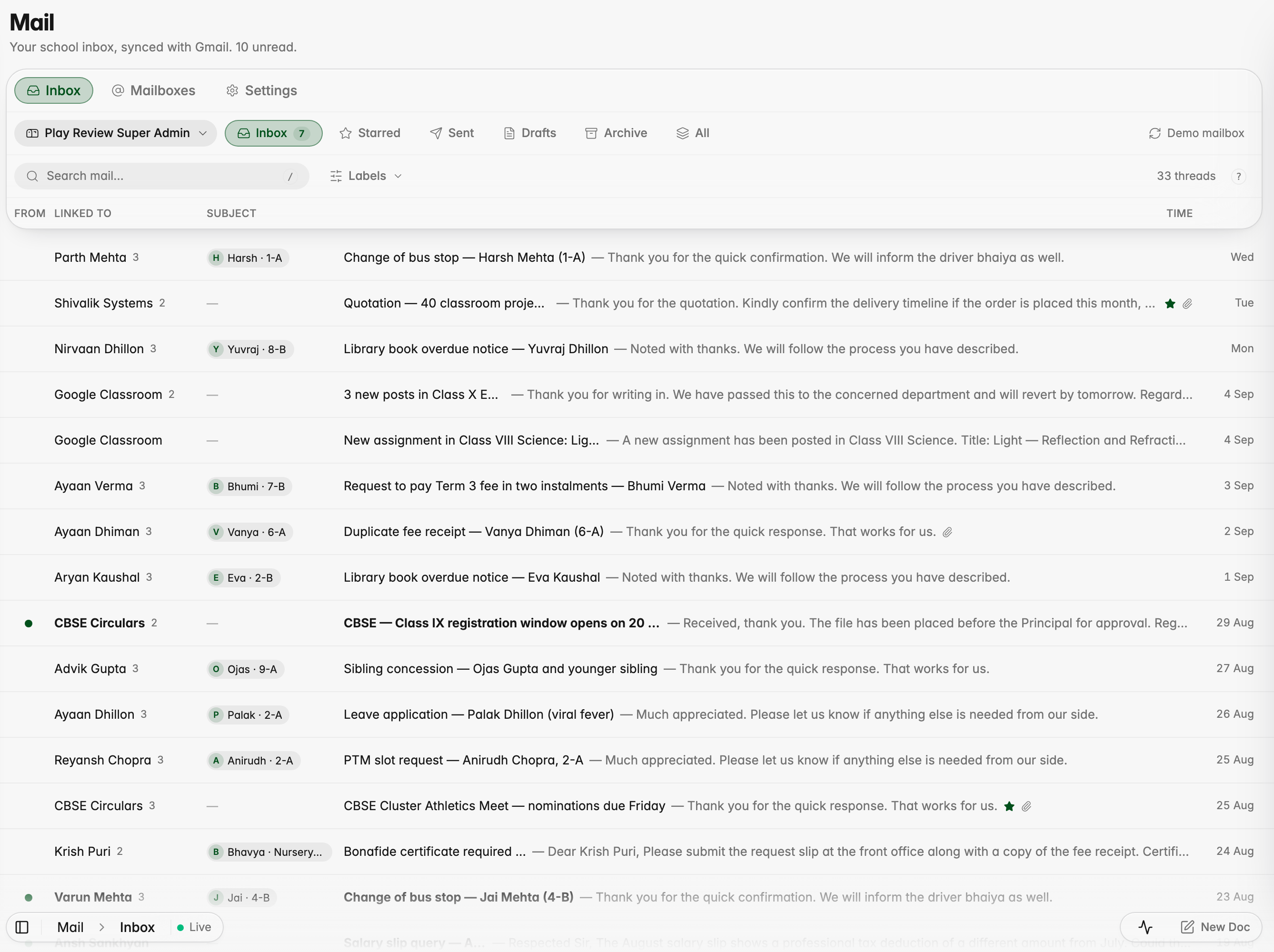
Staff can now read their school Gmail inside ScholaRise, with each email linked to the student, parent or enquiry it is about.
The Mail inbox, with each email linked to the student it is about
Communication
Mail for staff
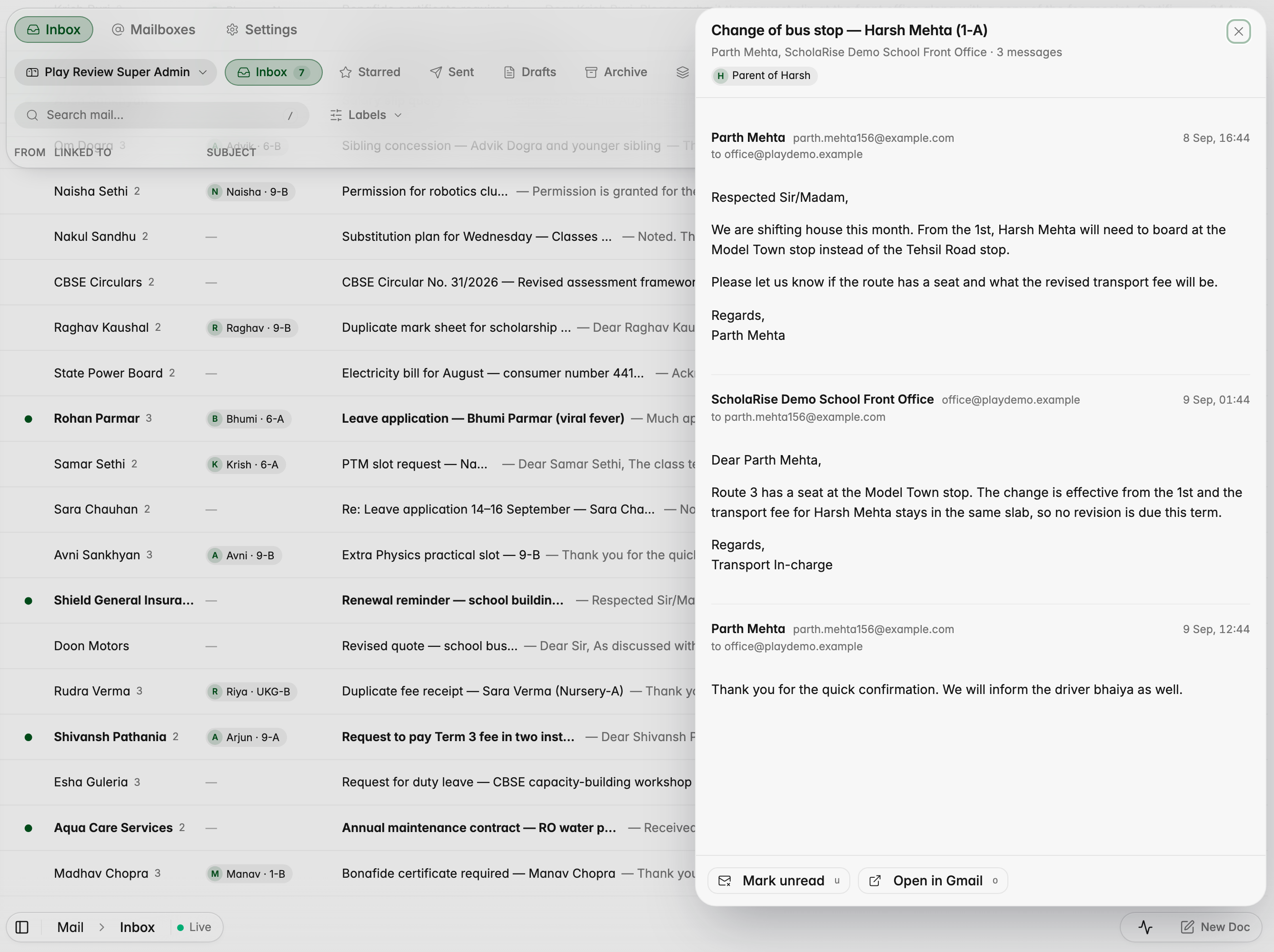
Read your school Gmail without leaving ScholaRise: open Communication and pick Mail. Every email shows the student, parent or enquiry it is about, so a parent's message reads "Harsh · 1-A" at a glance, and opening it shows the whole conversation. Search, folders, shared mailboxes such as admissions and keyboard shortcuts are all there; replies still go from Gmail for now.
Opening an email shows the whole conversation and who it is about
The inbox in dark mode
Mail on a phone
Connect staff and shared mailboxes
Admins connect each staff member's mailbox, and shared addresses such as admissions, from the Mailboxes tab in Mail, and choose who can read each one. Once your school's Google Workspace admin grants ScholaRise access, the last 90 days stay in step with Gmail every minute, and older emails open in Gmail.
Admins connect personal and shared school mailboxes
Book a demoA guided walkthroughWeb · iOS · AndroidAvailable across India
The next step
See ScholaRise in your school.
A real walkthrough with someone who actually runs a school — we'll map what fits your
campus today and what's worth phasing in over the next year.