Former students get an alumni network of their own, and your school can run giving campaigns with 80G donation receipts.
The alumni portal home
Platform
Alumni network
Keep a verified record of every former student, grouped by the year they graduated, with new graduates added on their own each night. Invite an alum to claim their own login, or let former students ask to join from a public page and approve each request against its likely match. Alumni then get a portal of their own, with a directory that shows only what each person chooses to share.
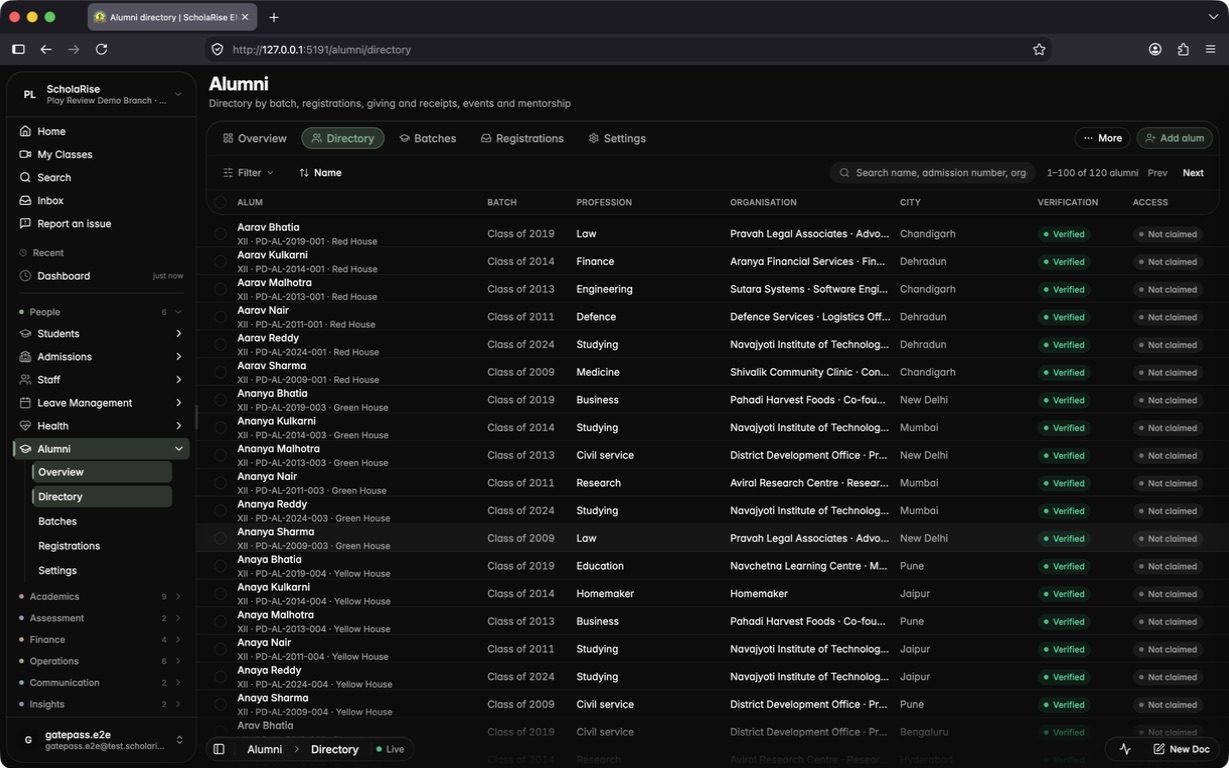
The alumni directory with batch, profession and city filters
An alum's record with verification, claim state and actions
Join requests waiting for review, with likely matches
A join request approved into its matching record
The public join page after a former student sends their details
Activating an alumni login from a claim link
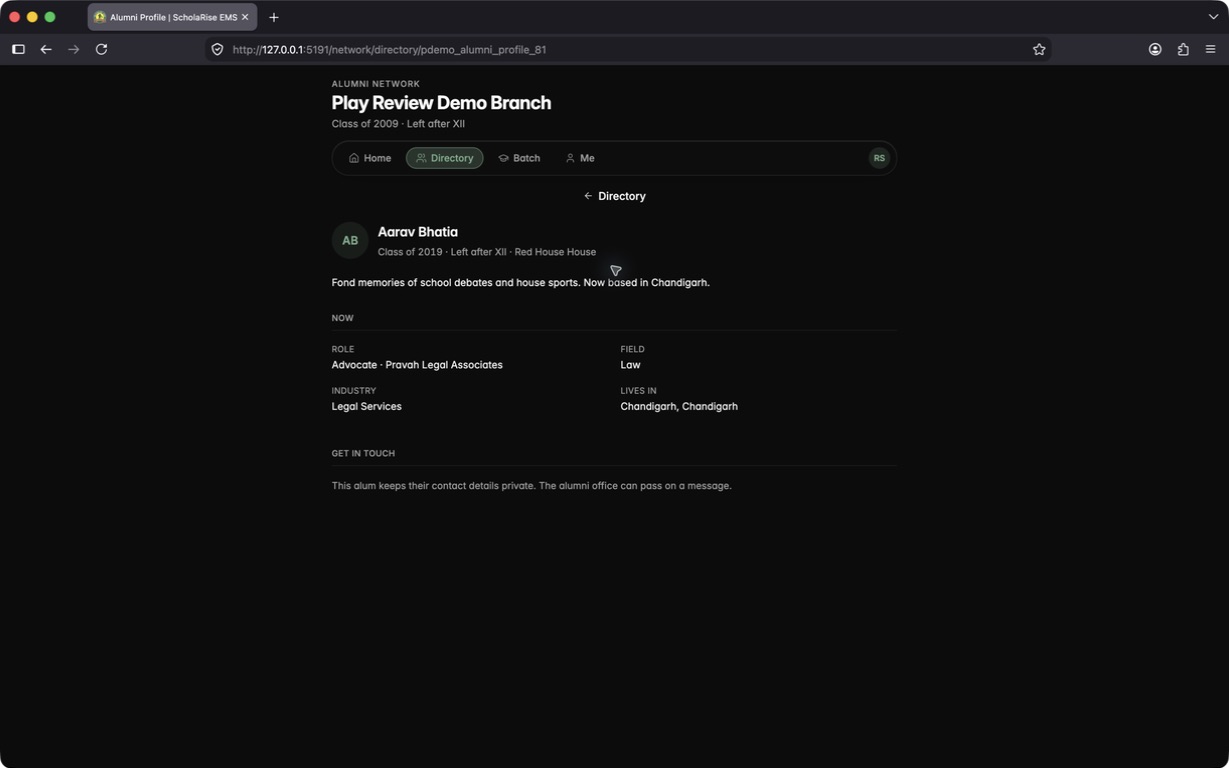
A directory profile with contact details kept private
Giving campaigns and 80G receipts
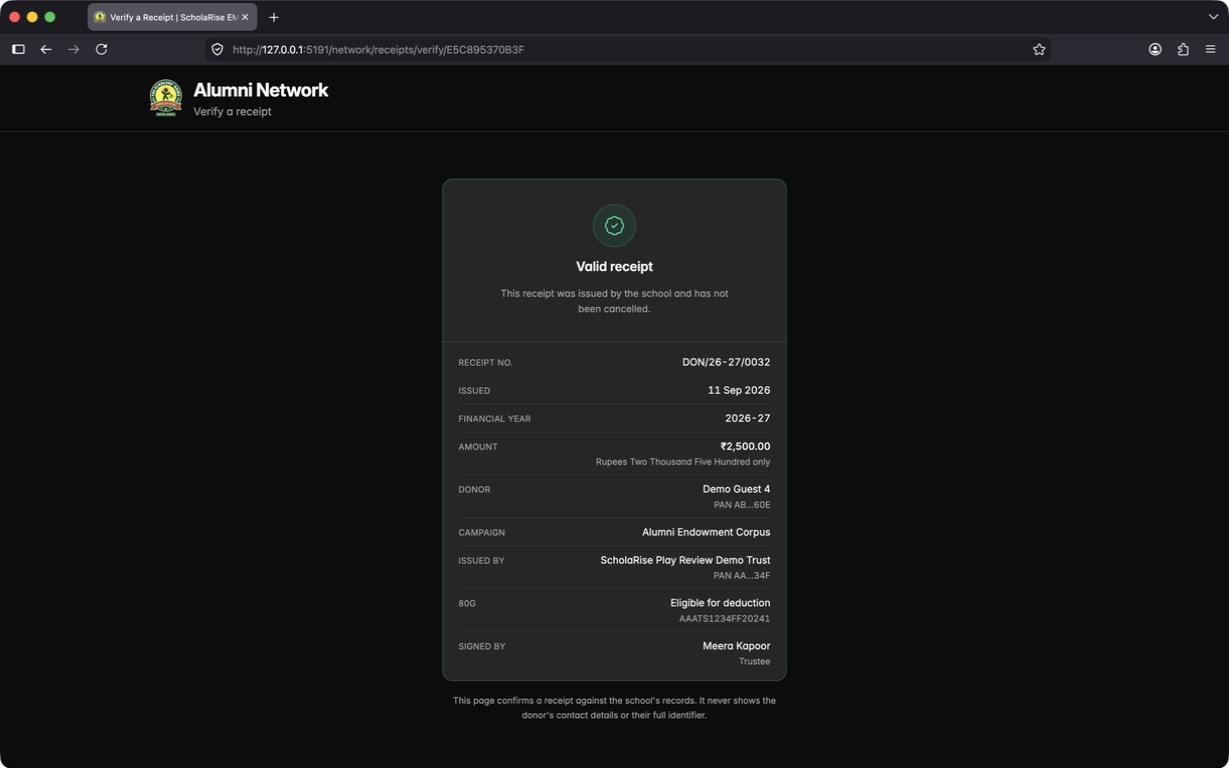
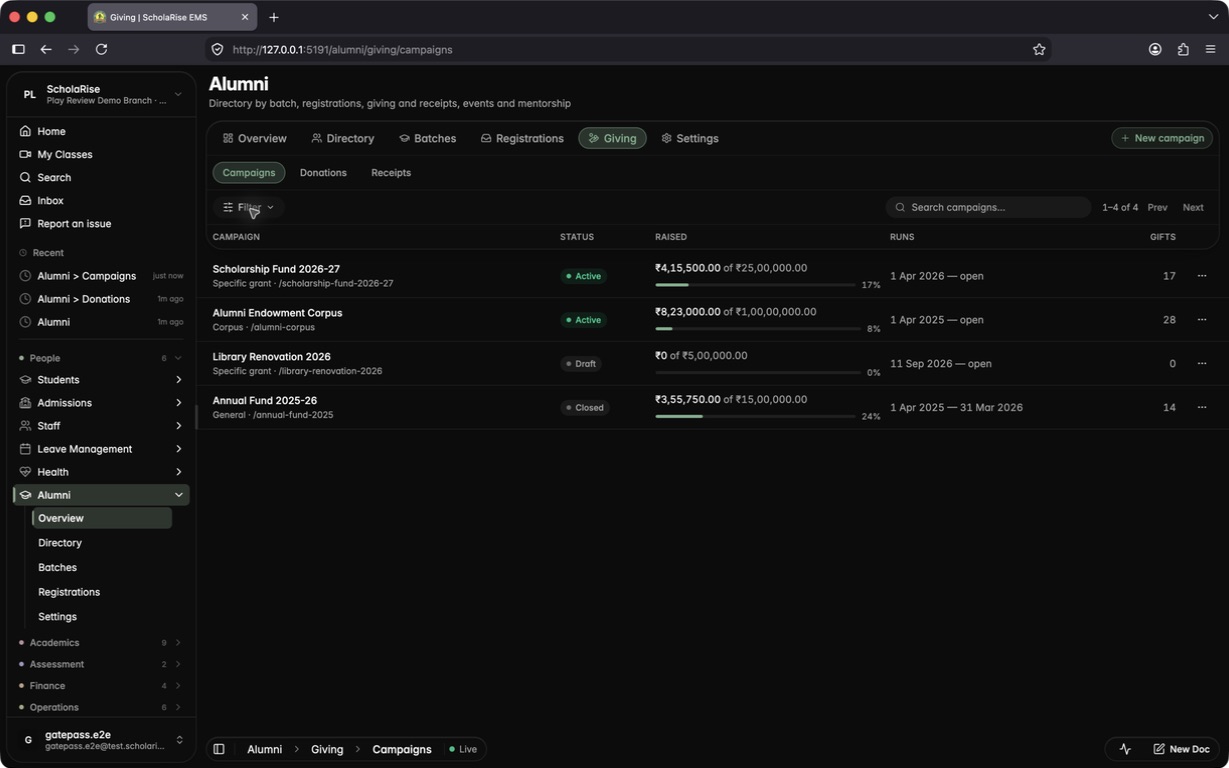
Run fundraising campaigns with a goal and a link you can share, and let alumni and guests give online, or record a gift you received in person. Every gift gets an official donation receipt that says whether it qualifies for an 80G deduction, and anyone can check that a receipt is genuine using the code printed on it.
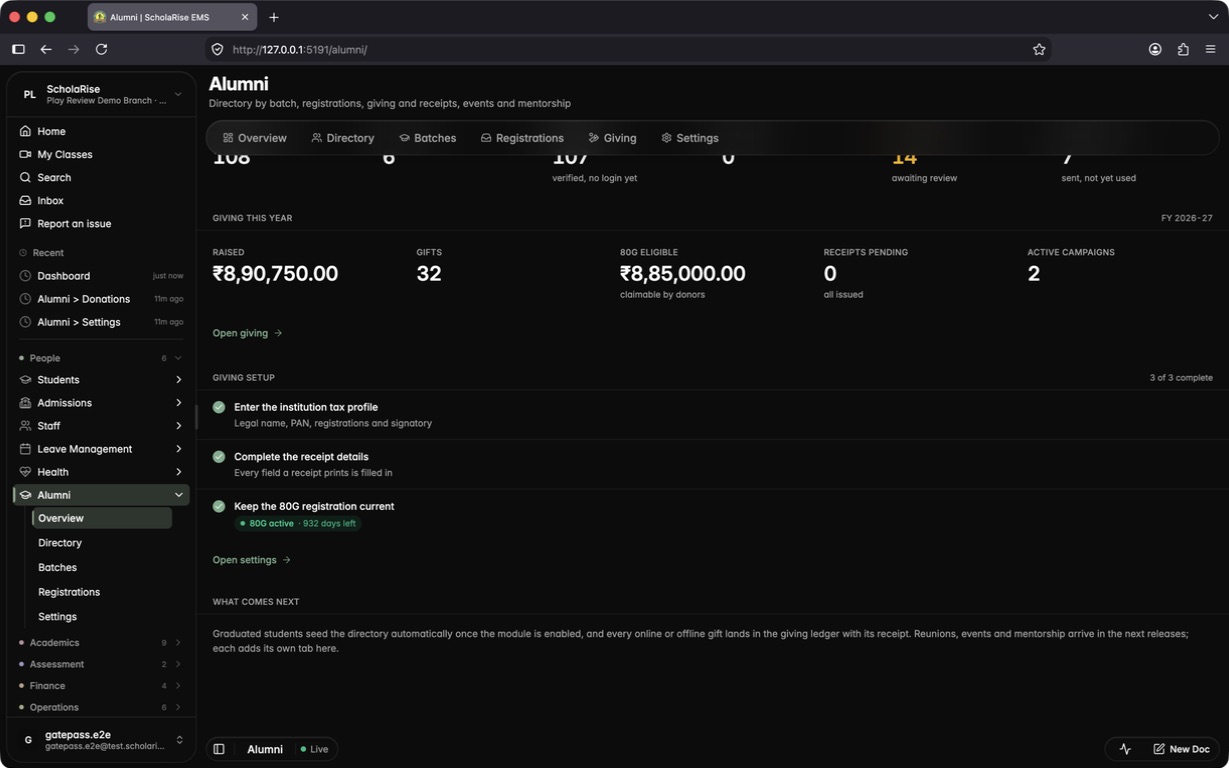
Alumni overview with this year's giving at a glance
Campaigns list with goals and progress
Campaign detail with share link and recent gifts
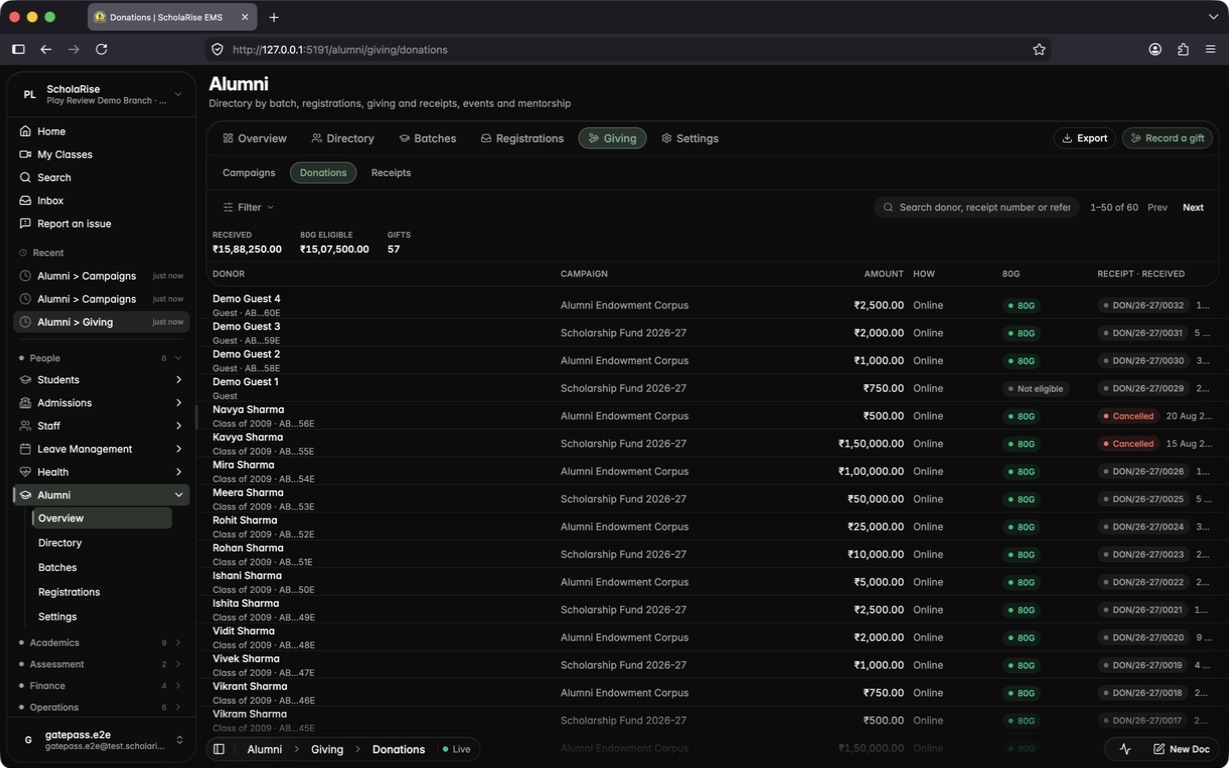
Donations ledger with totals and 80G status
Gift sheet with the receipt PDF inline
Recording a gift received offline
A cash gift over ₹2,000 marked not eligible for 80G
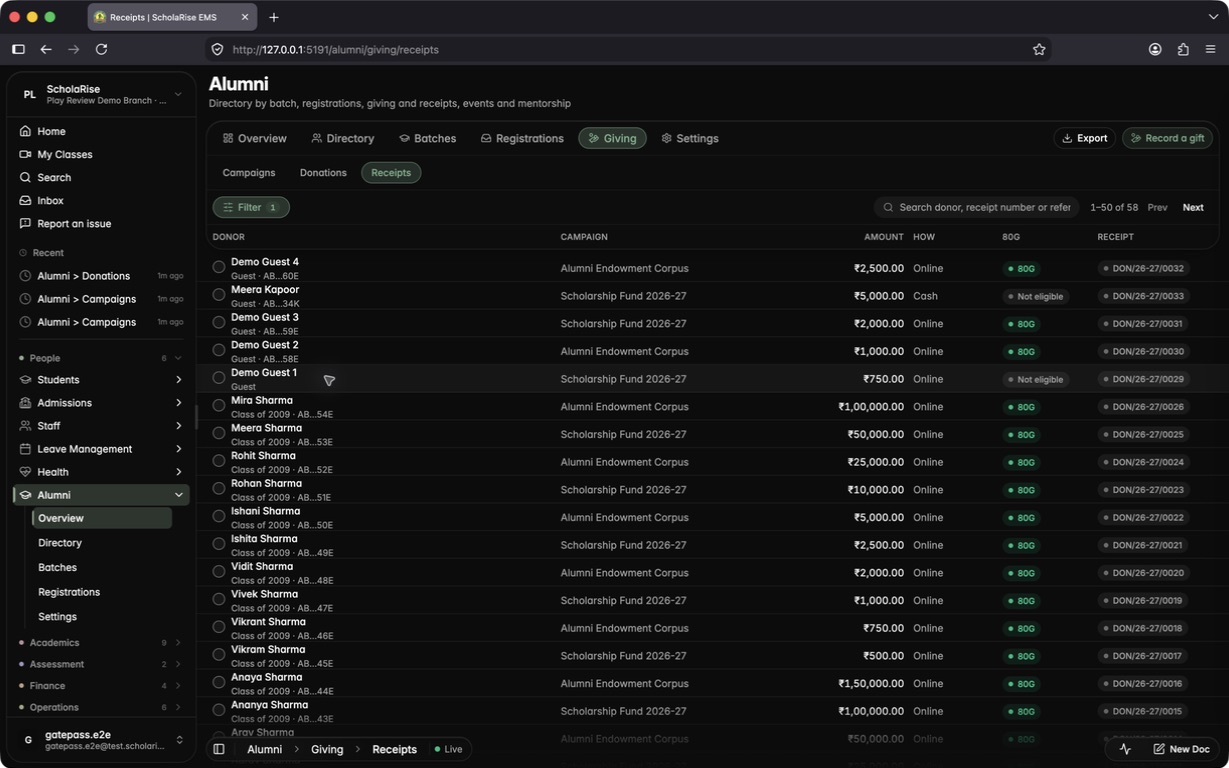
Issued receipts
80G registration and receipt series in settings
Public giving page for guests
Alumni portal home with Giving live
Open campaigns in the alumni portal
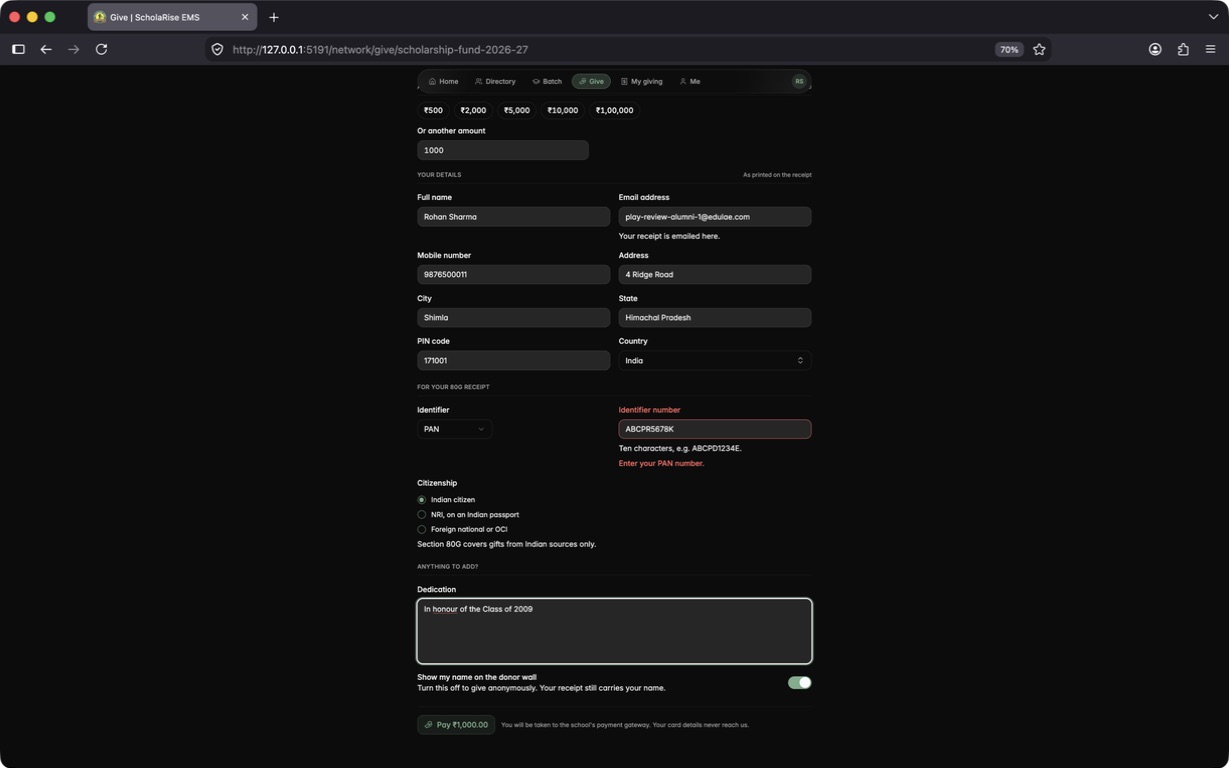
Gift form with donor details for the receipt
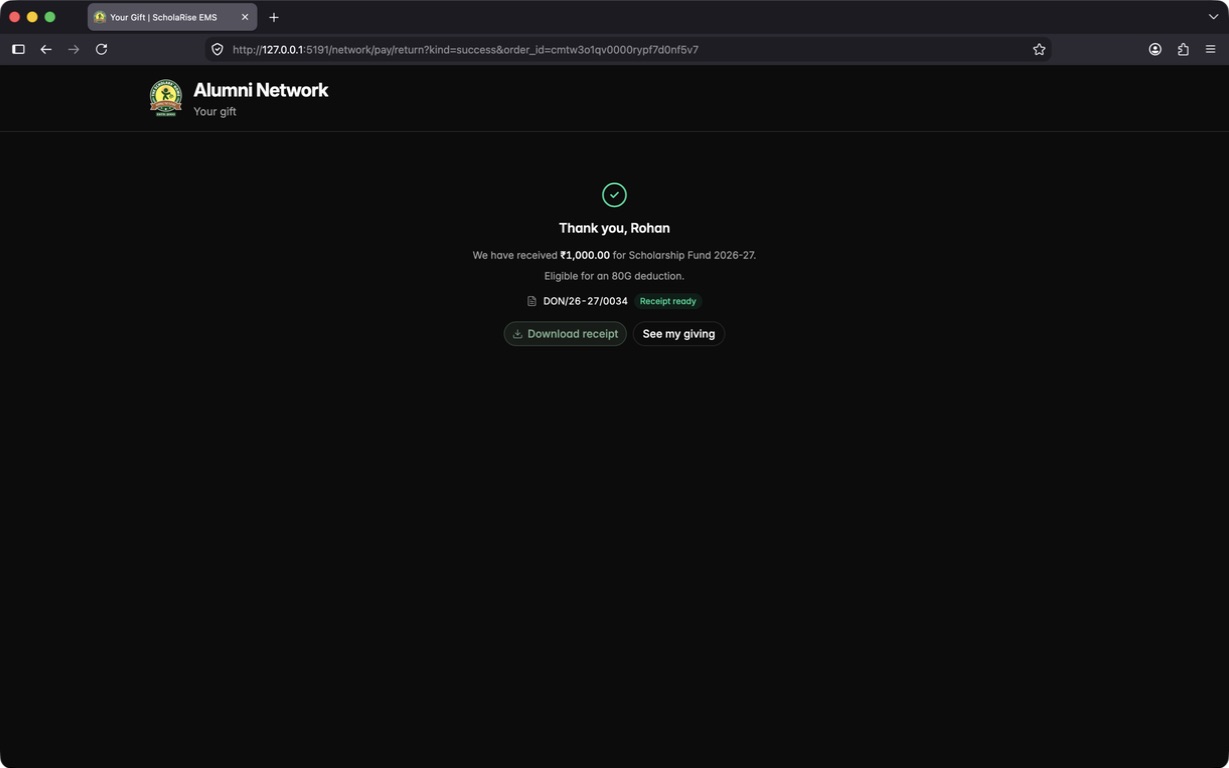
Thank-you page with the receipt ready
My giving with receipts and payment attempts
Public receipt verification
A new campaign created as a draft
A cancelled gift, with its receipt watermarked CANCELLED
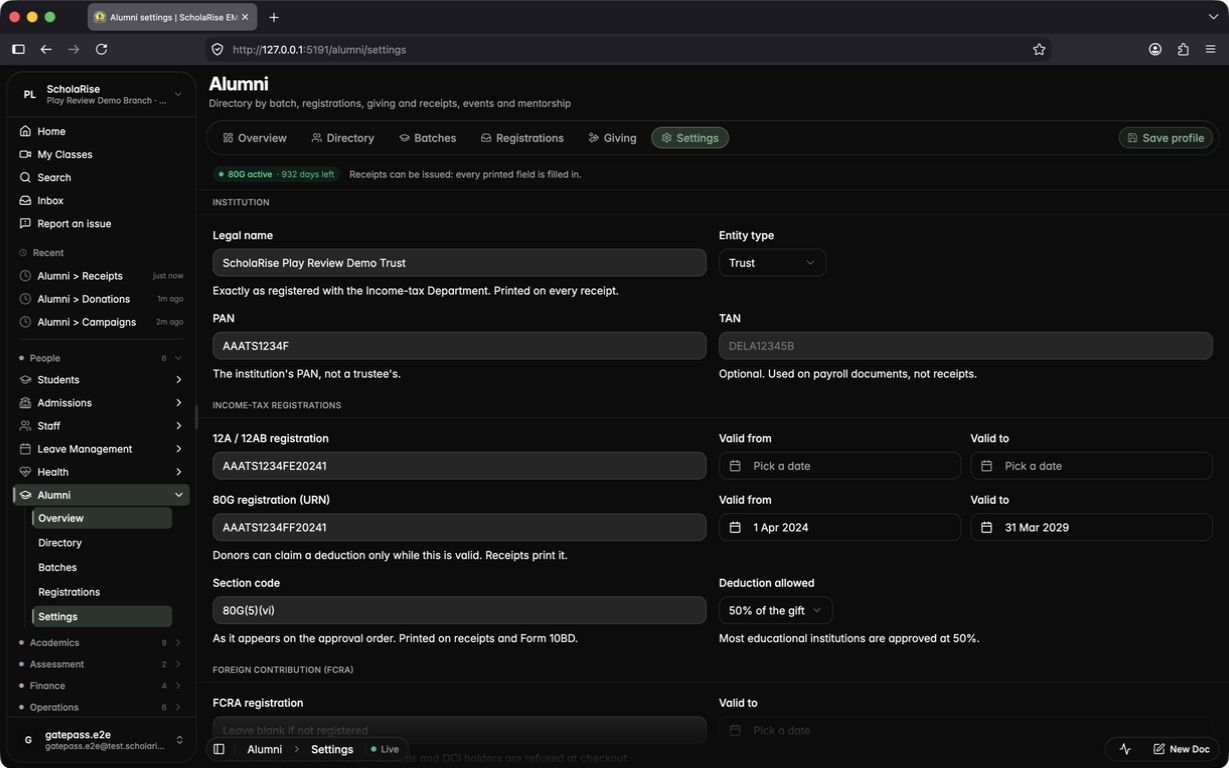
Alumni settings for 80G receipts
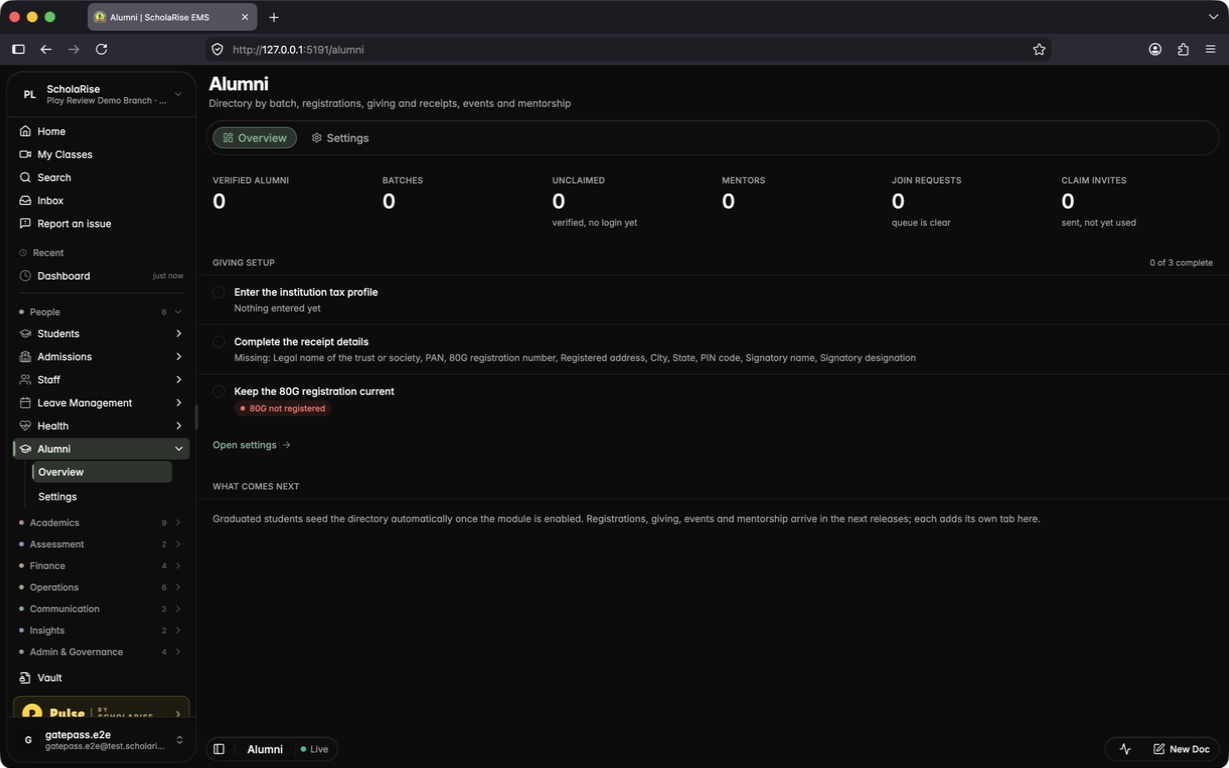
Switch on the new Alumni module for a school and fill in the details your accounts office needs before issuing 80G receipts: the trust's legal name, PAN, 12A and 80G registrations with their validity dates, registered address, signatory and receipt numbering. The Alumni overview keeps a checklist of anything still missing.
The new Alumni overview with the giving-setup checklist
Institution tax profile saved, with the 80G validity shown at the top
Overview once every receipt field is filled in
Virtual Classes has a new look
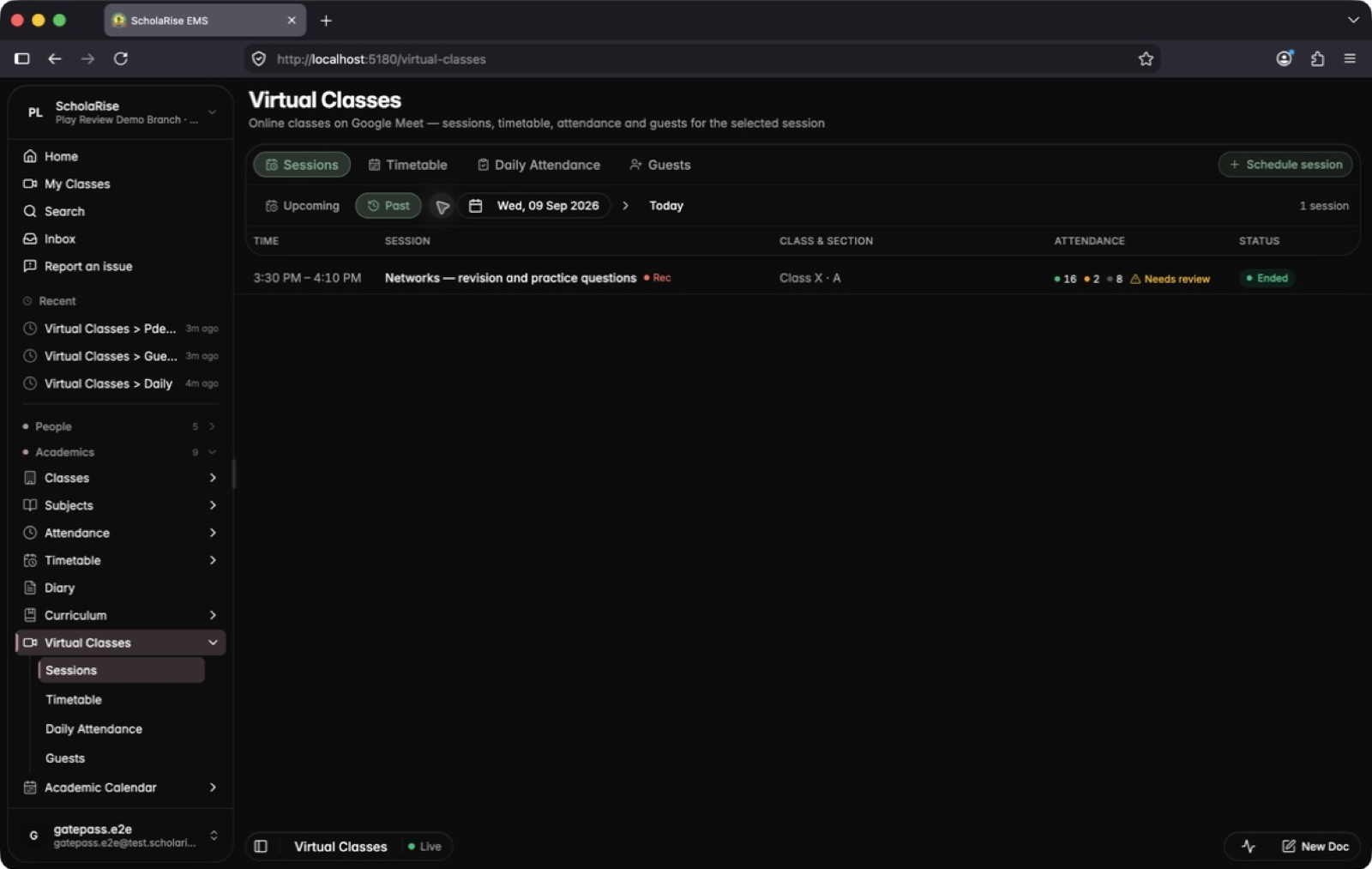
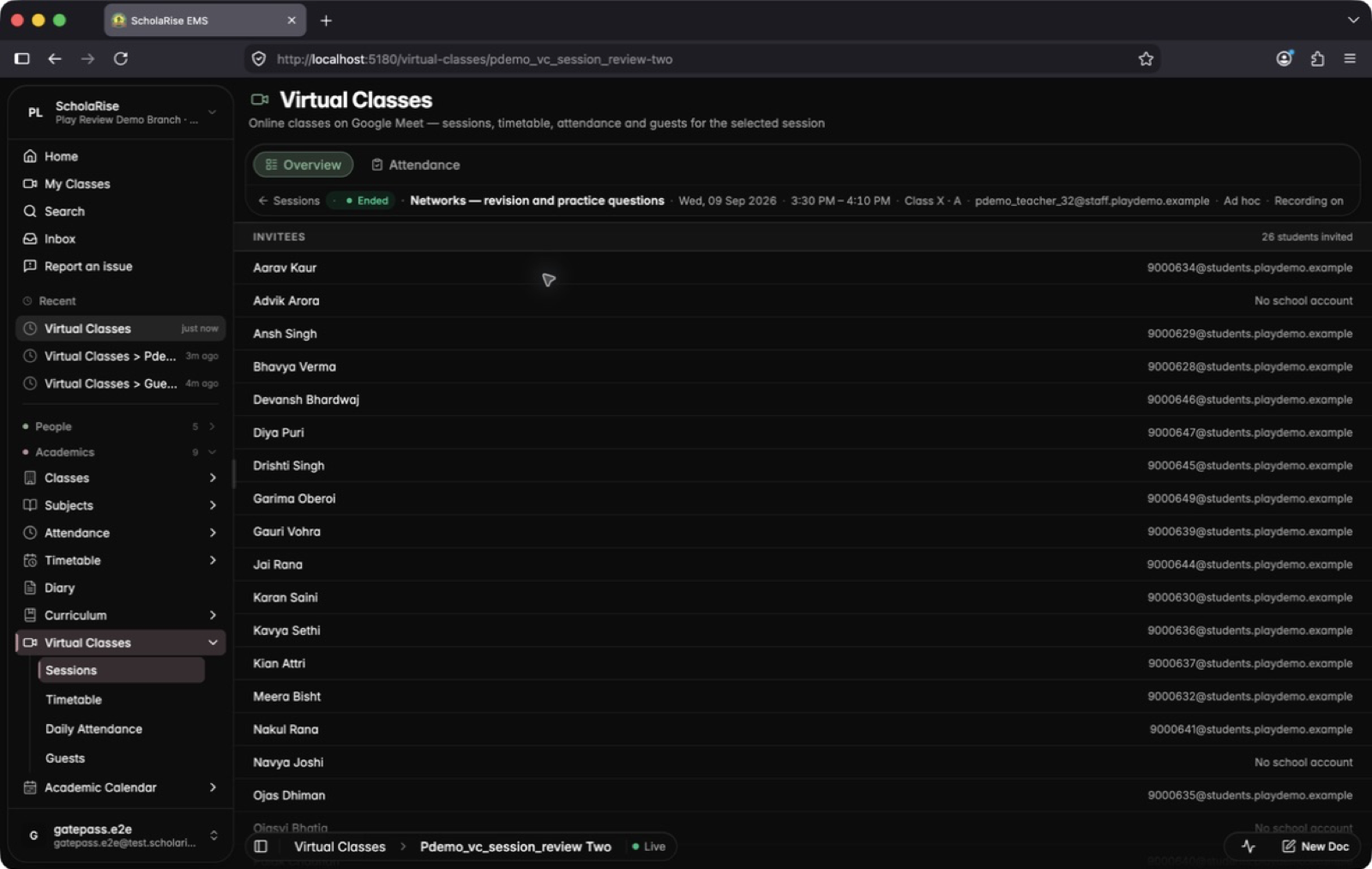
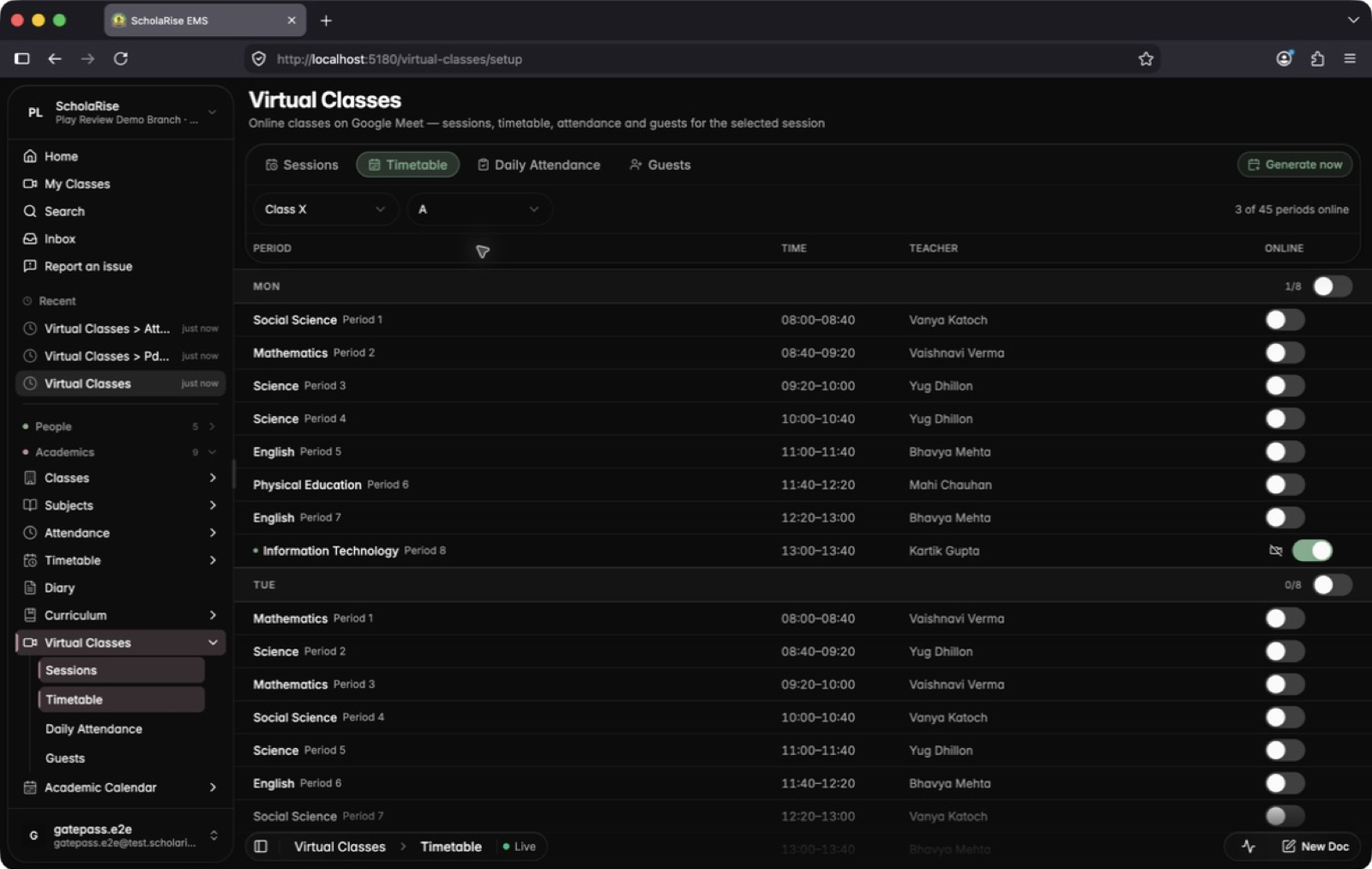
Sessions, the timetable, daily attendance and guests are easier to scan, and everything you need sits in one toolbar. Classes are listed one day at a time with each class's attendance in its row, and any timetable period can become an online class from a single list.
One day of online classes at a time, with each class's attendance summary in the row
A session's page: who was invited, its guests and its attendance at a glance
The attendance register for a finished class, ready to confirm student by student
A section's whole day of online classes, and what it means for the attendance register
Turn any timetable period into an online class from one list
A new look for Inventory
Every Inventory page now matches the rest of the app, with cleaner lists, a side panel for details and the app's own date and dropdown pickers. Deleting a draft purchase request now asks you to confirm first.
Inventory assets and check-outs show up again
The Assets page and the check-out and check-in history in Inventory were always empty, however much a school had recorded. Both now show your records.
Examination
See which co-scholastic grades are still missing
The Examination Overview now has a Non-academic view showing, for every class and section, which co-scholastic activities have been graded and which students are still waiting for a grade. Open entry takes you straight to the grading screen with the class, activity and term already chosen. The Co-scholastic column in the Academic view also now counts activities offered to only some classes.
Book a demoA guided walkthroughWeb · iOS · AndroidAvailable across India
The next step
See ScholaRise in your school.
A real walkthrough with someone who actually runs a school — we'll map what fits your
campus today and what's worth phasing in over the next year.