Clearer admit-card downloads and refreshed tools for everyday school work
Examination
Admit-card download options
Parents can download, open or share a prepared admit card from the parent dashboard, with sharing available on supported phones. When a messaging app's browser restricts downloads, the dashboard provides a copyable link and guidance for continuing in Safari or Chrome.
Finance
Full late fines in fee collection
Outstanding late fines stay selected at their full amount when staff collect fees. Removing a fine requires an explicit waiver by authorized staff.
Sports
A clearer sports workspace
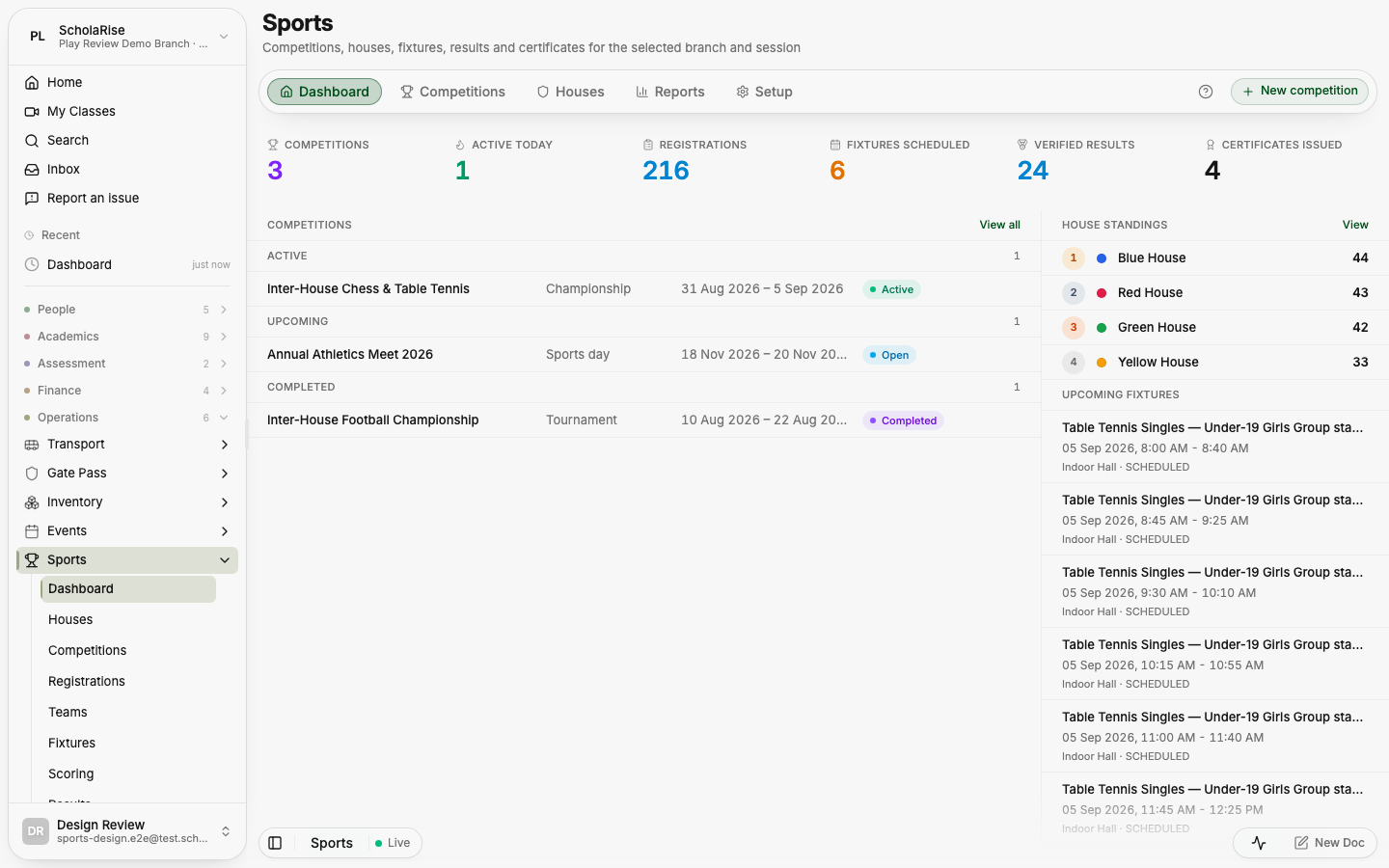
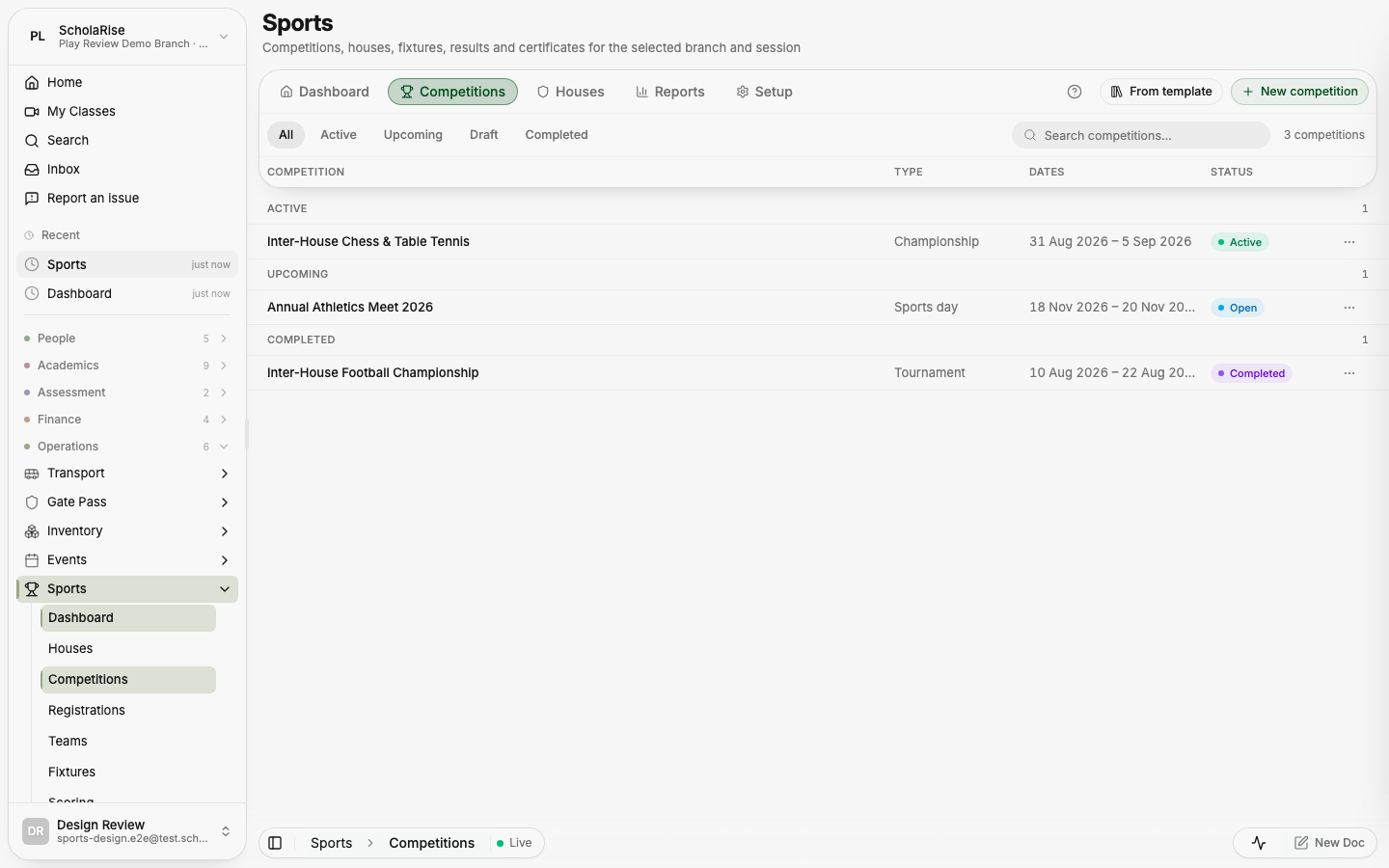
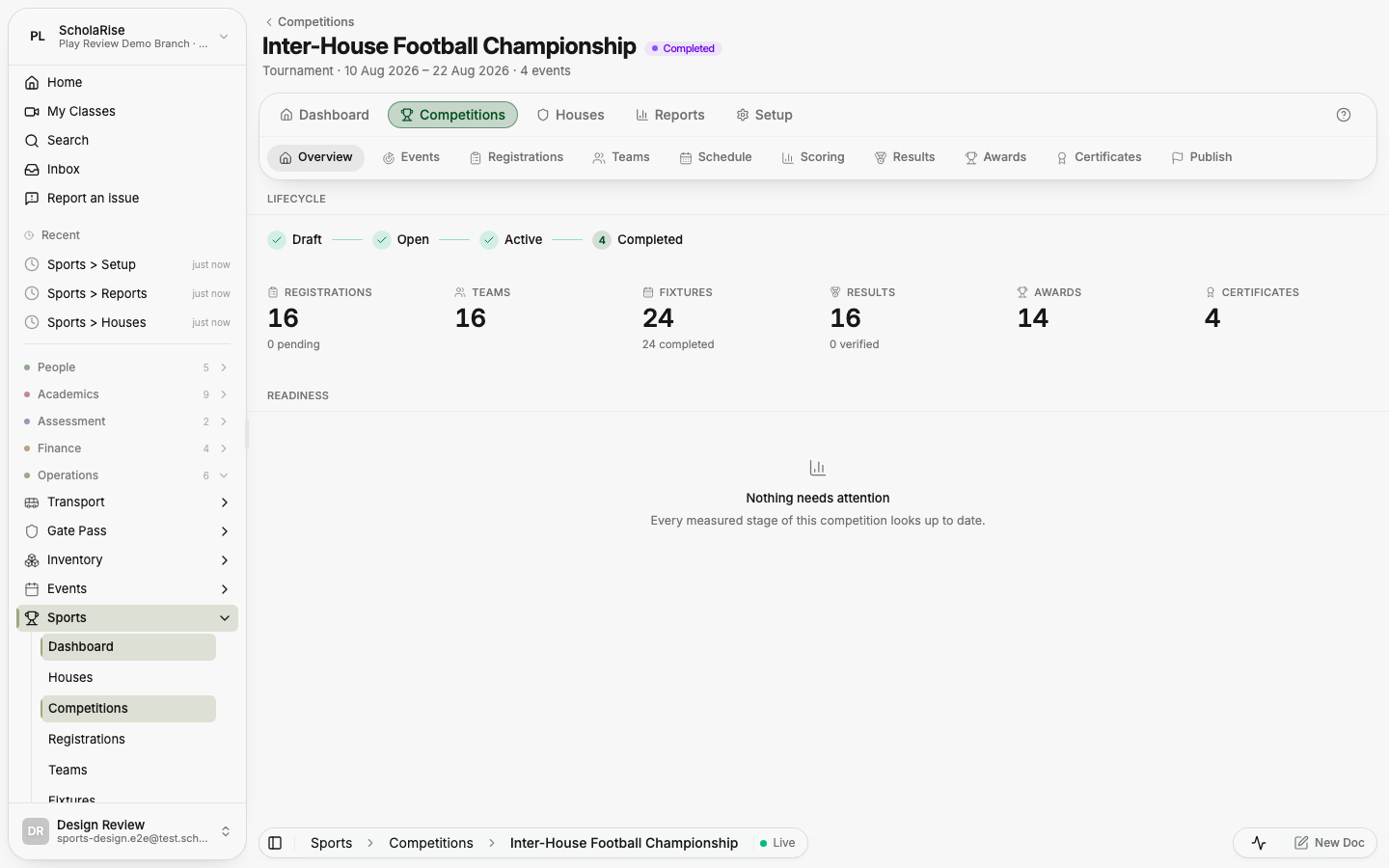
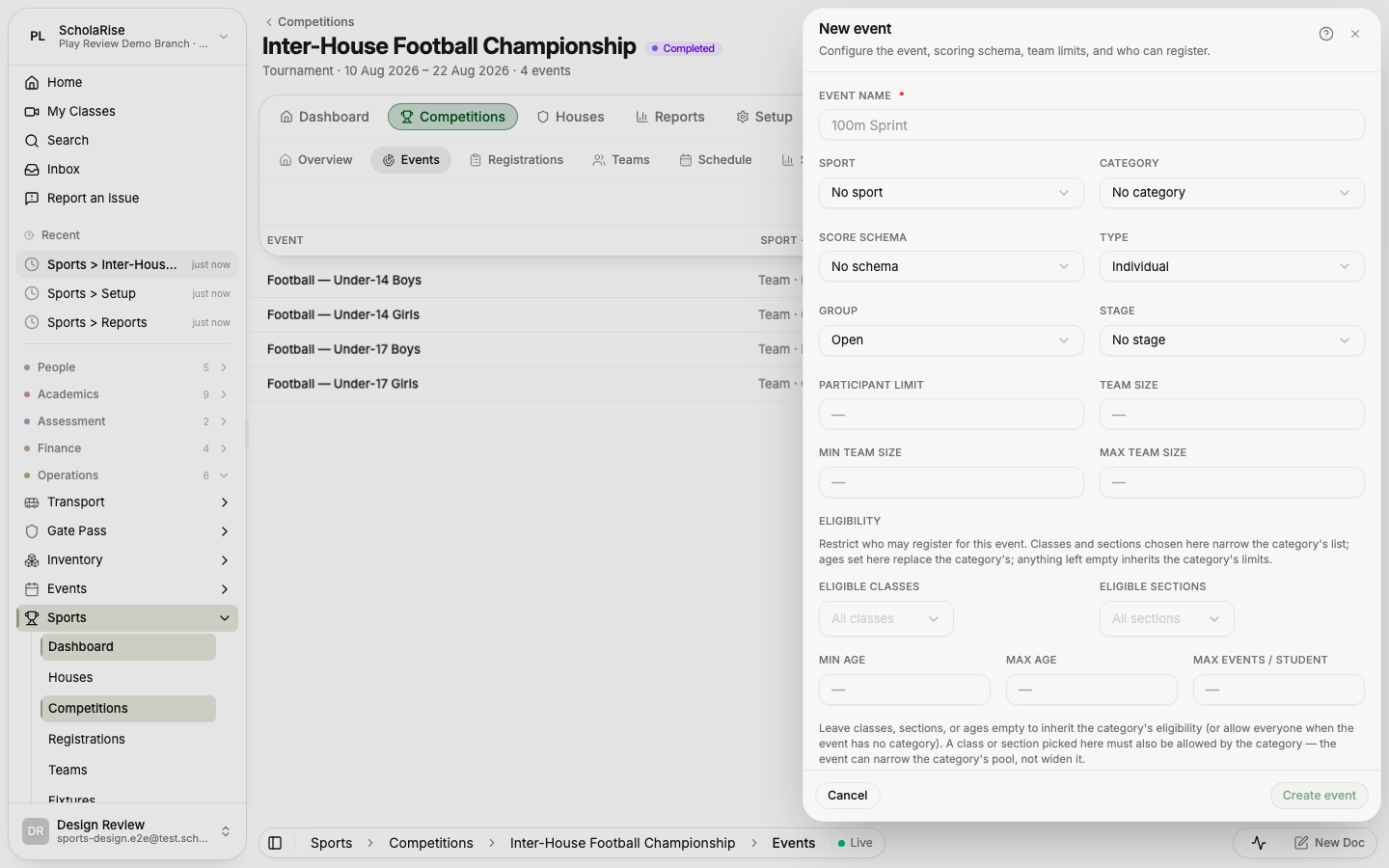
The Sports module brings page controls together in a floating toolbar and gives each competition its own workspace with tabs. Detail panels open on both phones and desktops, keeping competition details close to the list.
Sports dashboard: season counters, competitions by stage, house standings and upcoming fixtures
Competitions list with stage pills and search in the floating toolbar
Competition workspace: the competition's own title with its tabs in the glass bar
Adding an event in the floating detail sheet
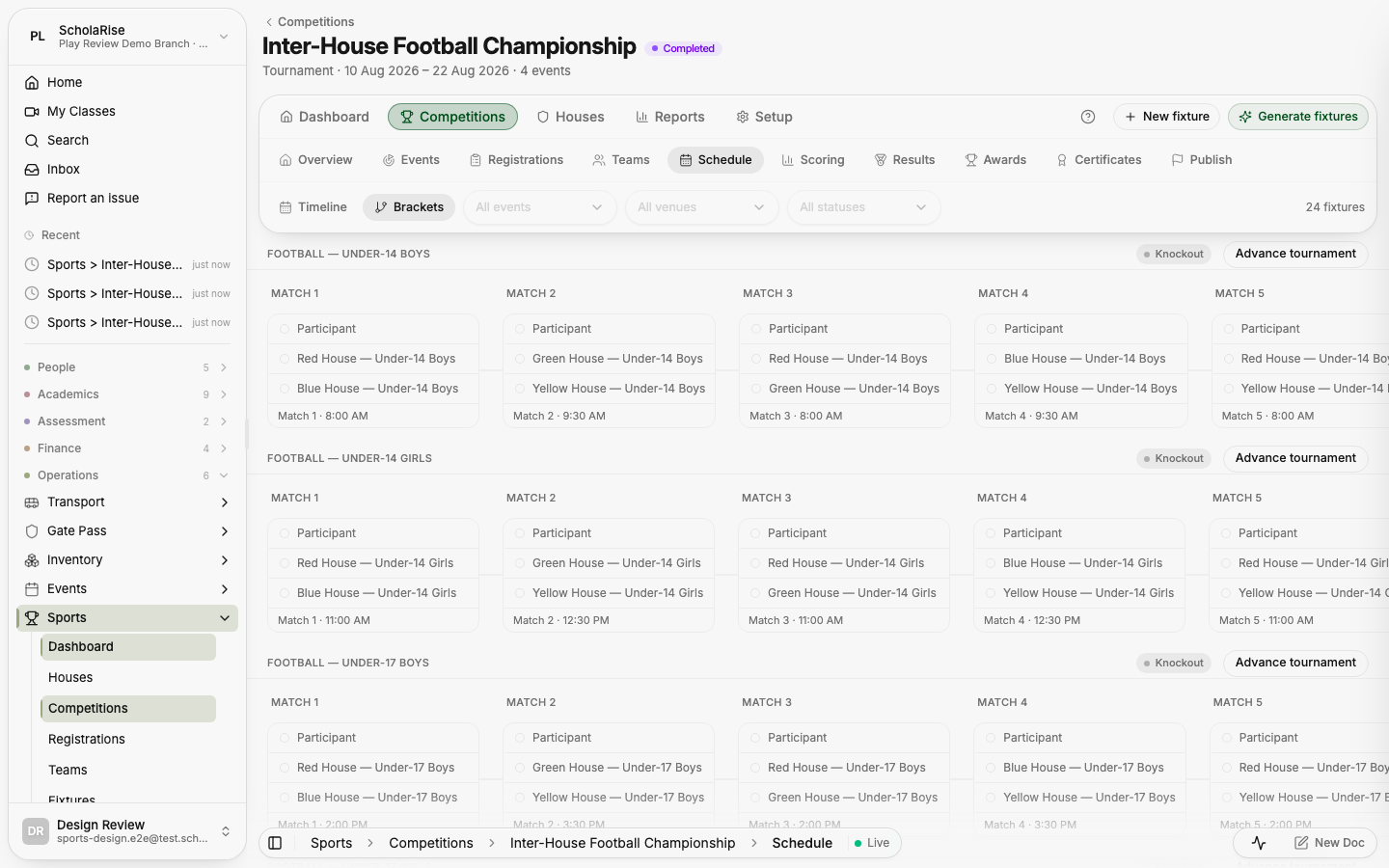
Schedule in brackets view
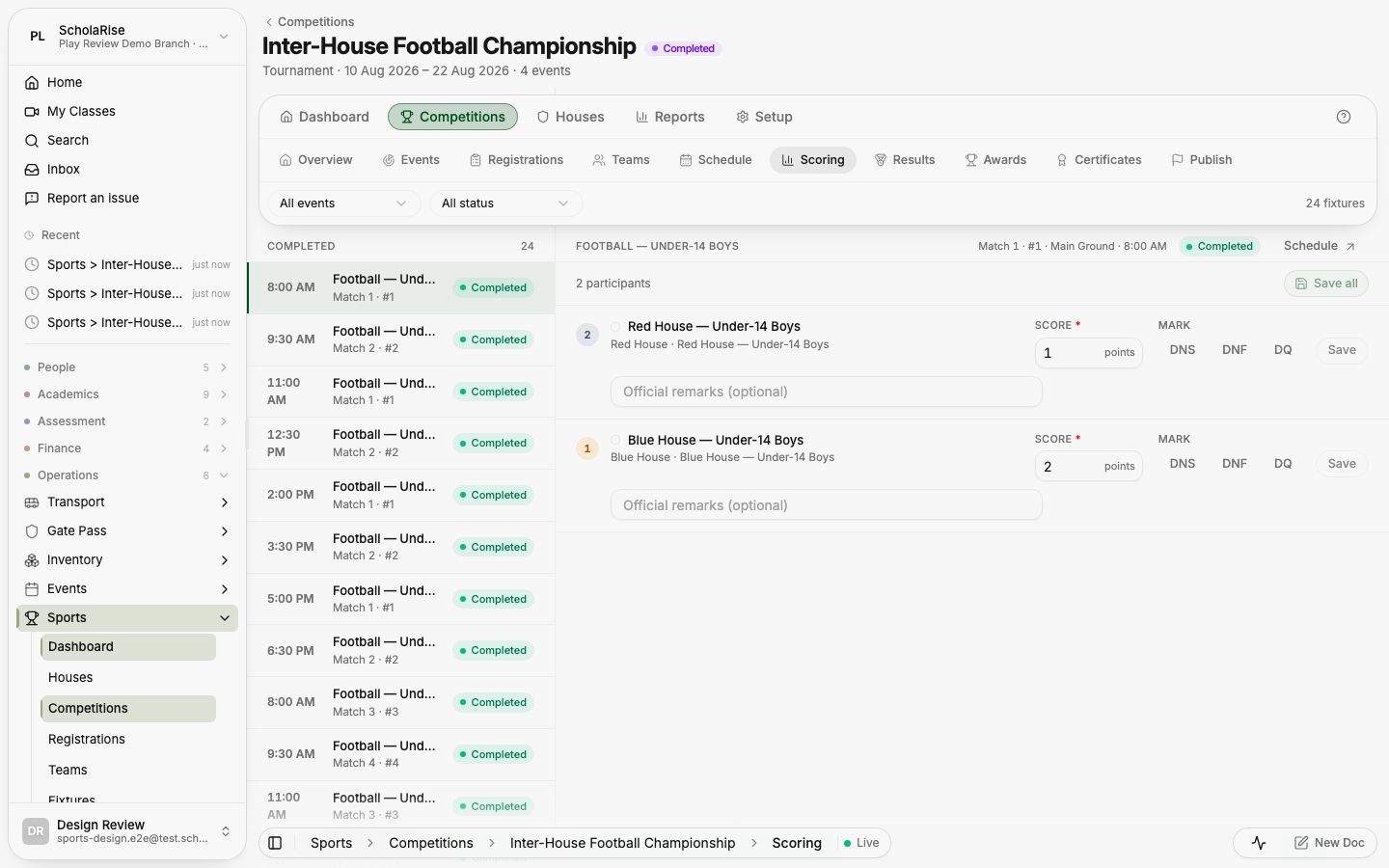
Scoring console: fixture queue beside the score entry rows
Results with rank chips, per-event standings and the medal table
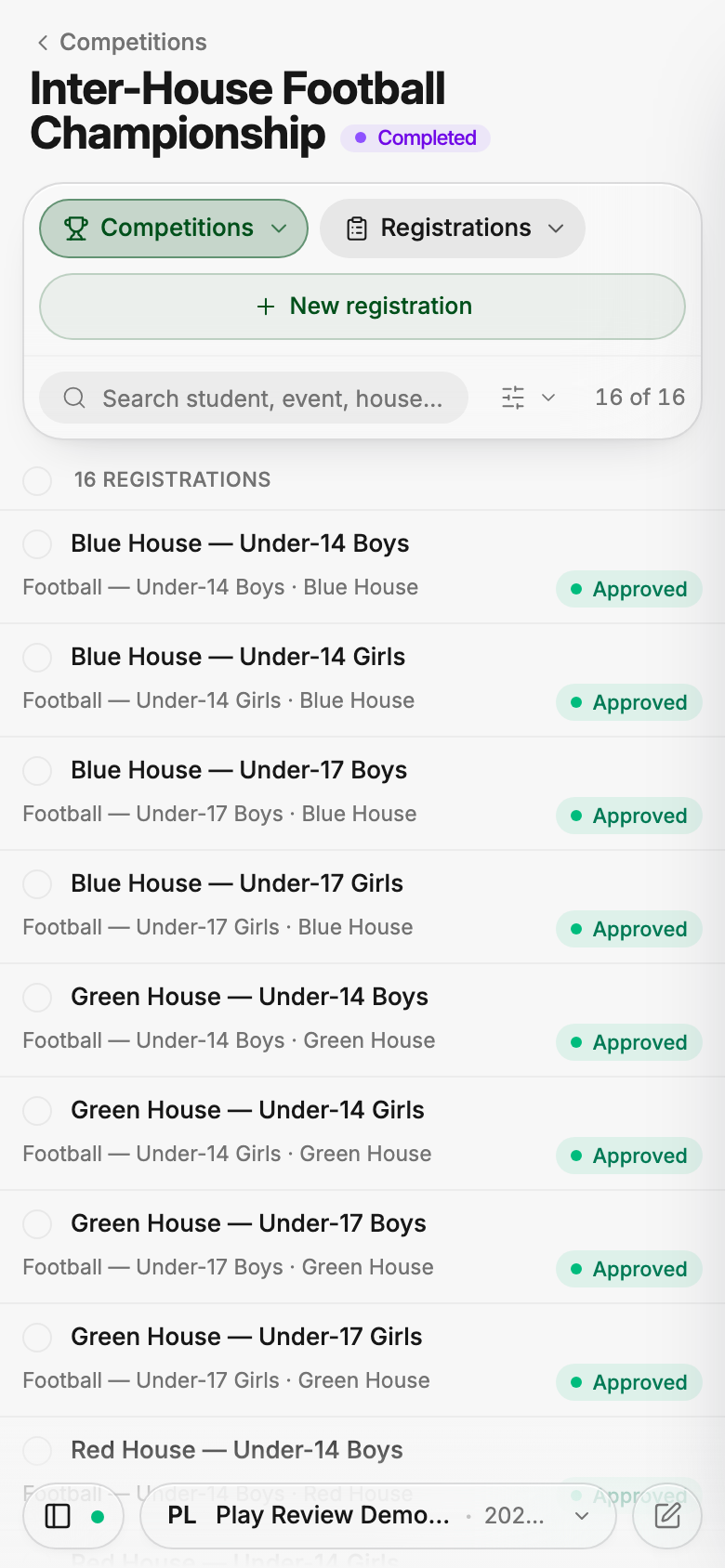
Registrations on a phone: a three-row toolbar with folded filters
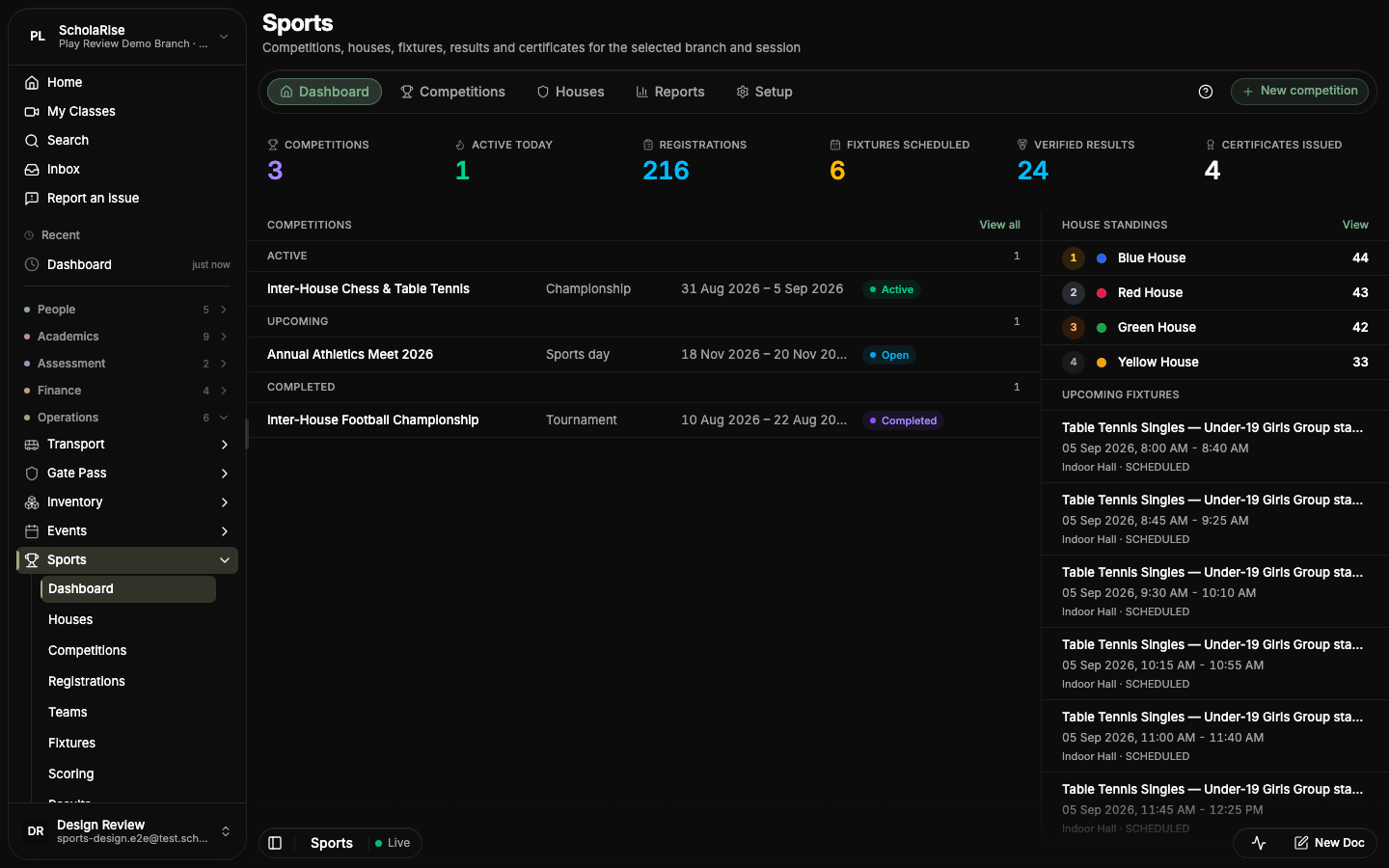
Dashboard in the dark theme
My Sports for parents and students
Platform
Gate passes on phones and desktops
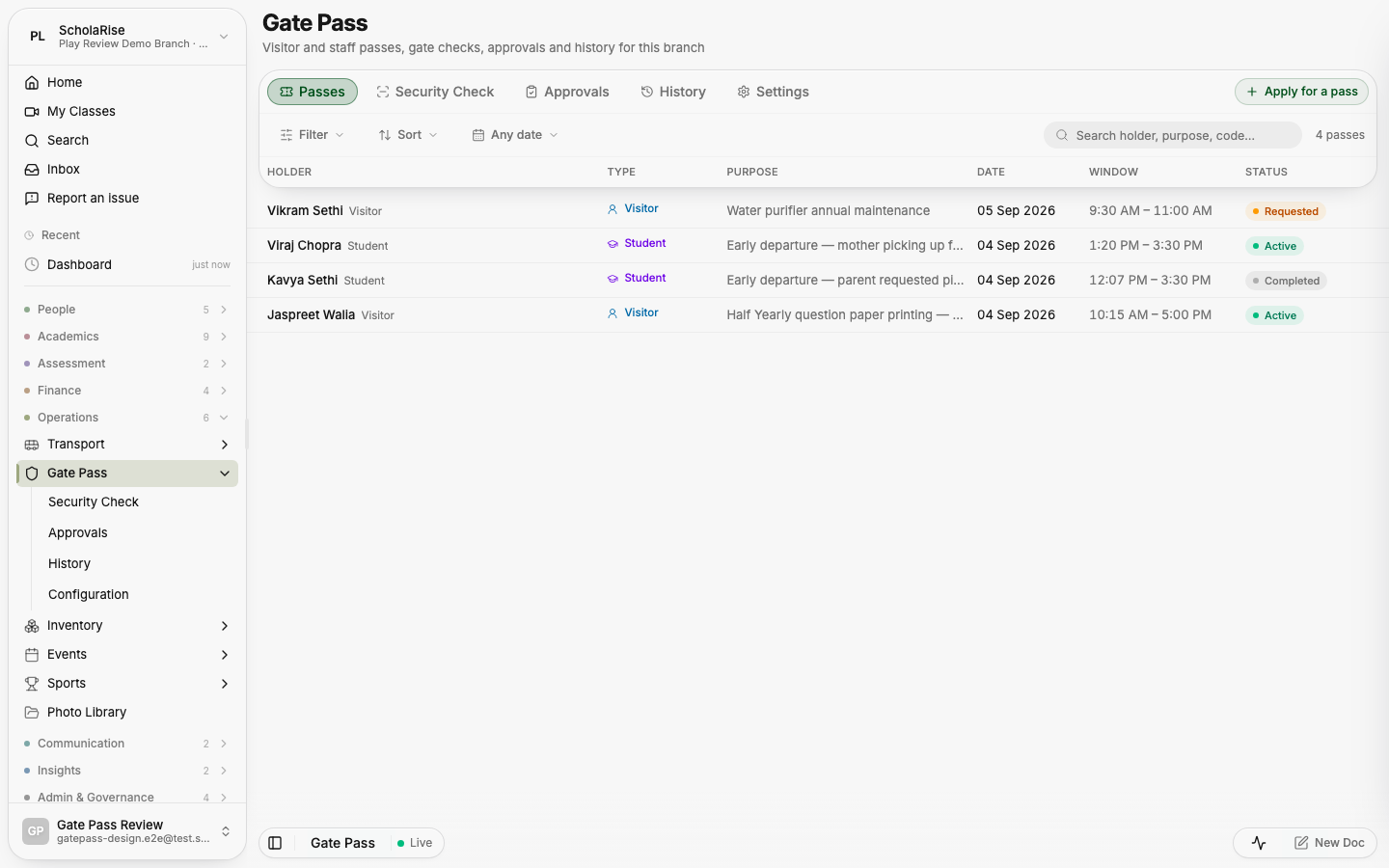
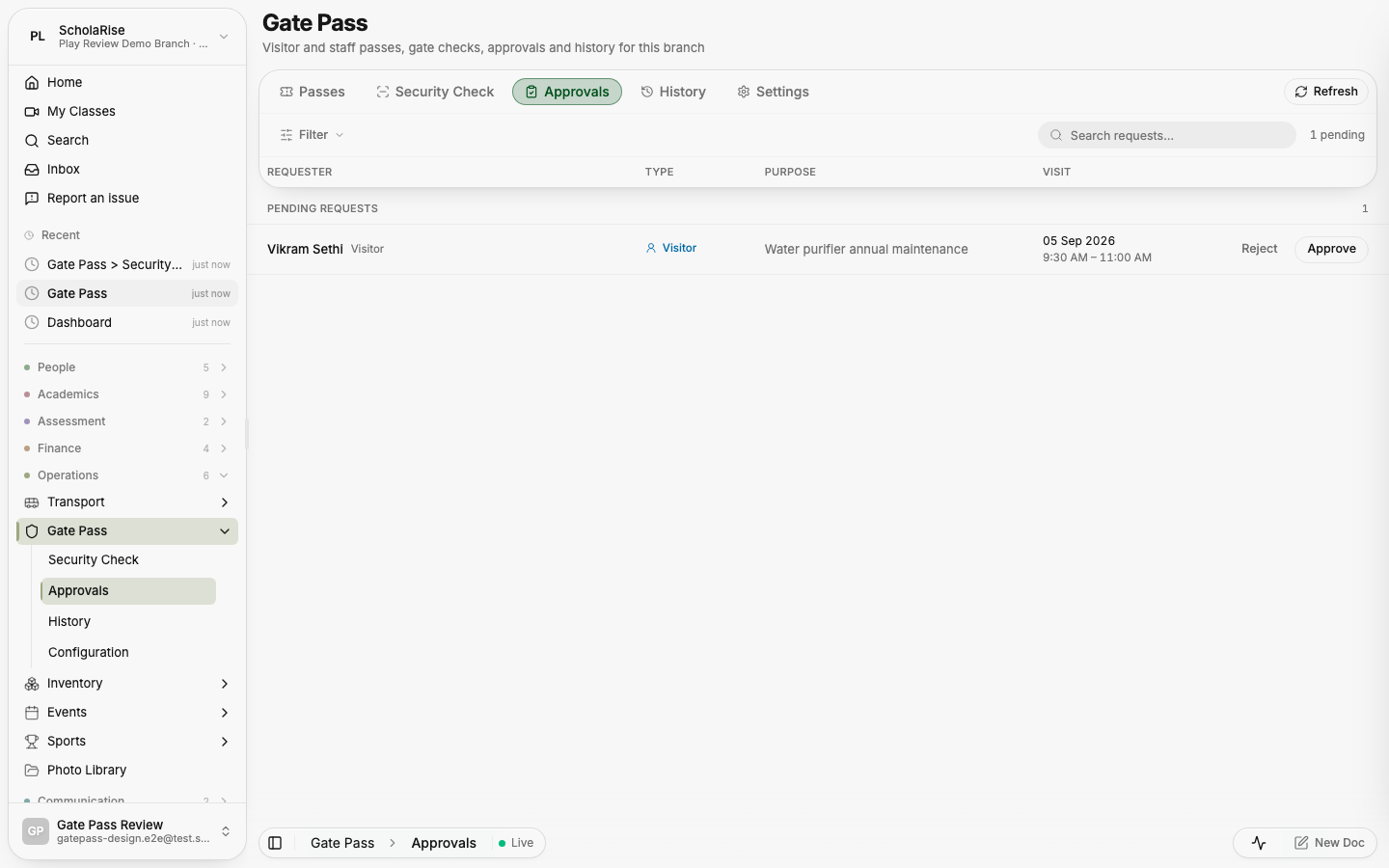
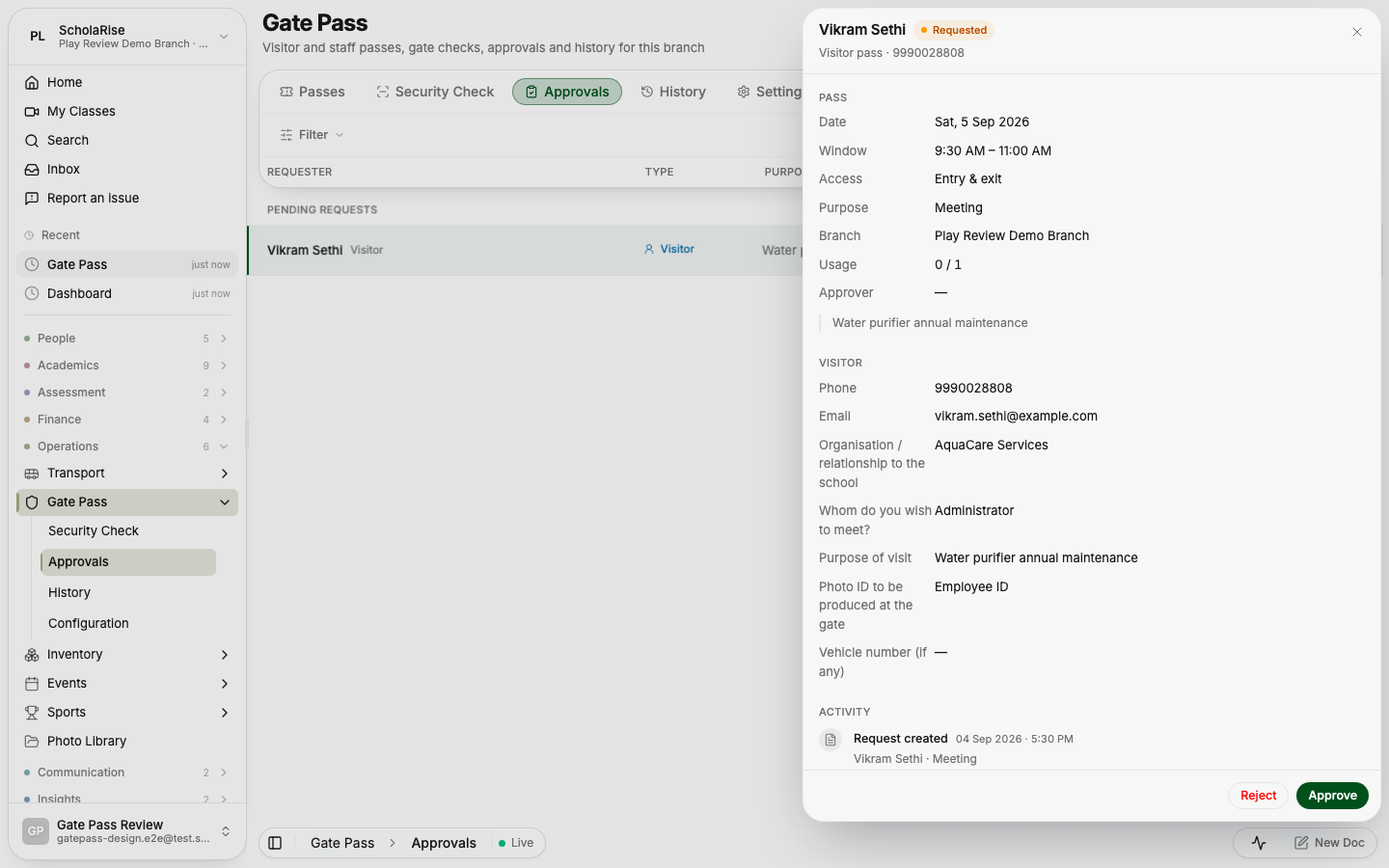
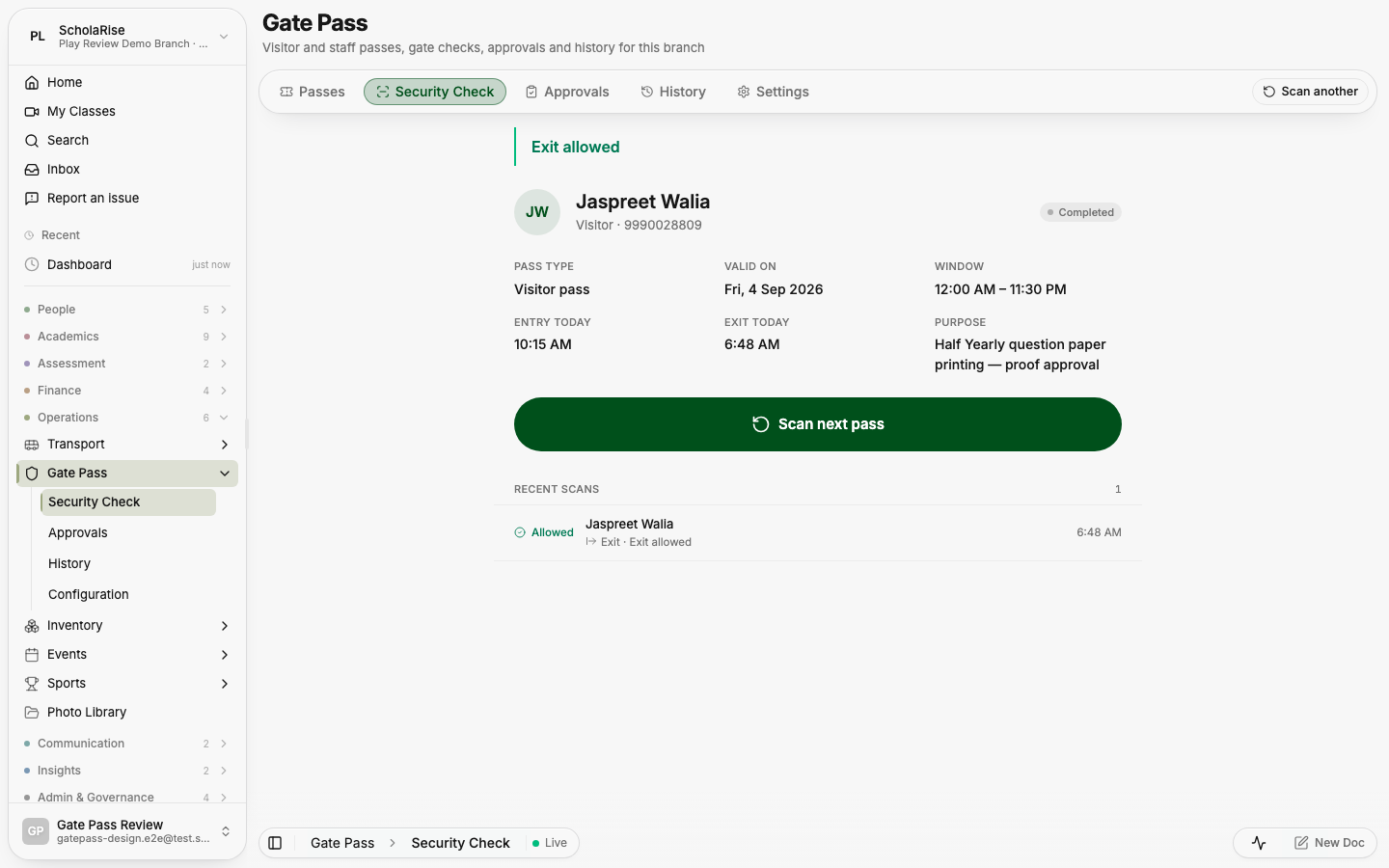
Gate Pass brings tabs, filters, dates and search into one toolbar, with pass details and activity in a slide-in panel. The security console has larger Allow entry and Allow exit buttons, and staff can approve or reject requests from the detail panel on a phone.
The Passes list: one floating toolbar with tabs, filter, sort, date and search; rows slide beneath it
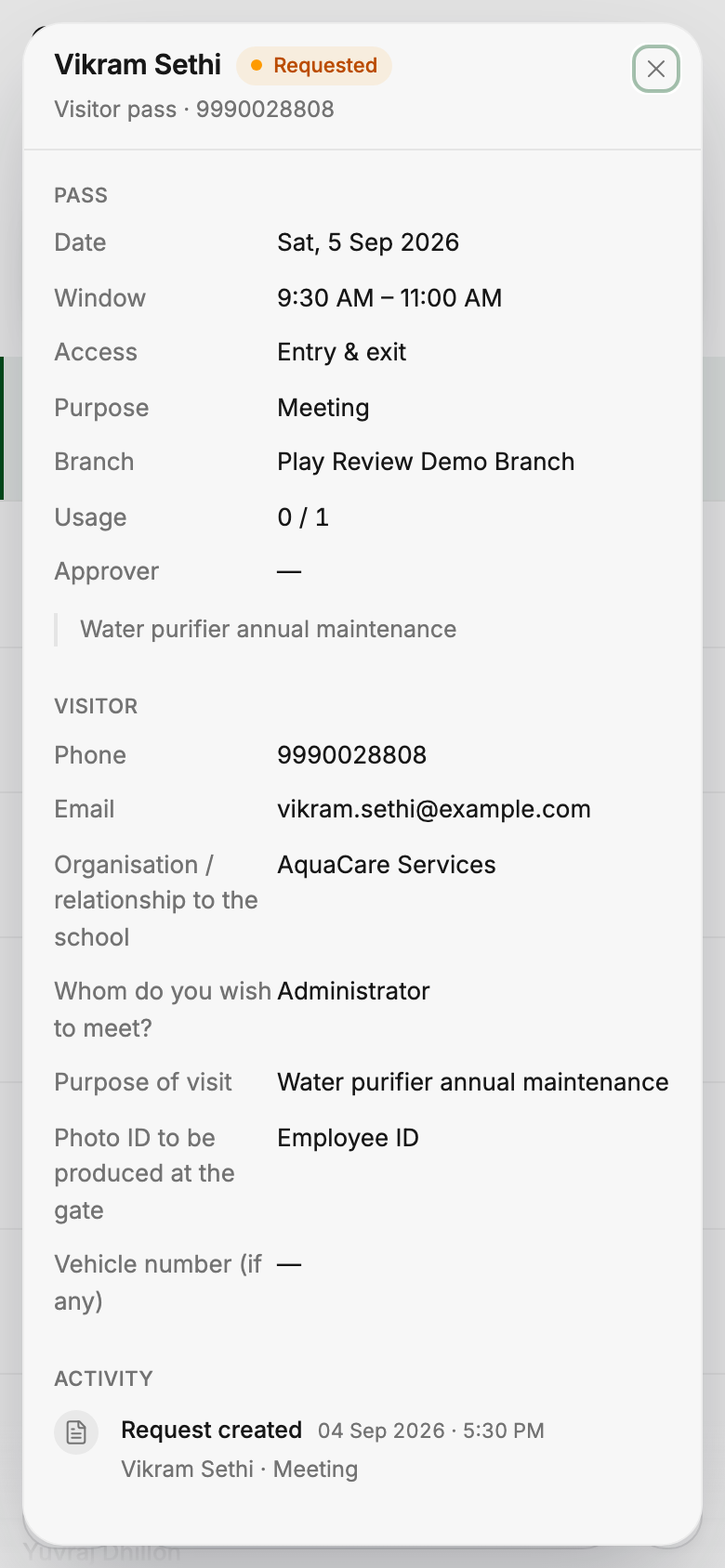
A pass opens in a slide-in panel with its details, visitor answers and activity
Approvals: pending requests with Approve / Reject on every row
A visitor request in the panel, with Approve and Reject in the footer
The guard console after allowing an exit, with recent scans below
History with date, holder, type, purpose, window, status, entry / exit and approver
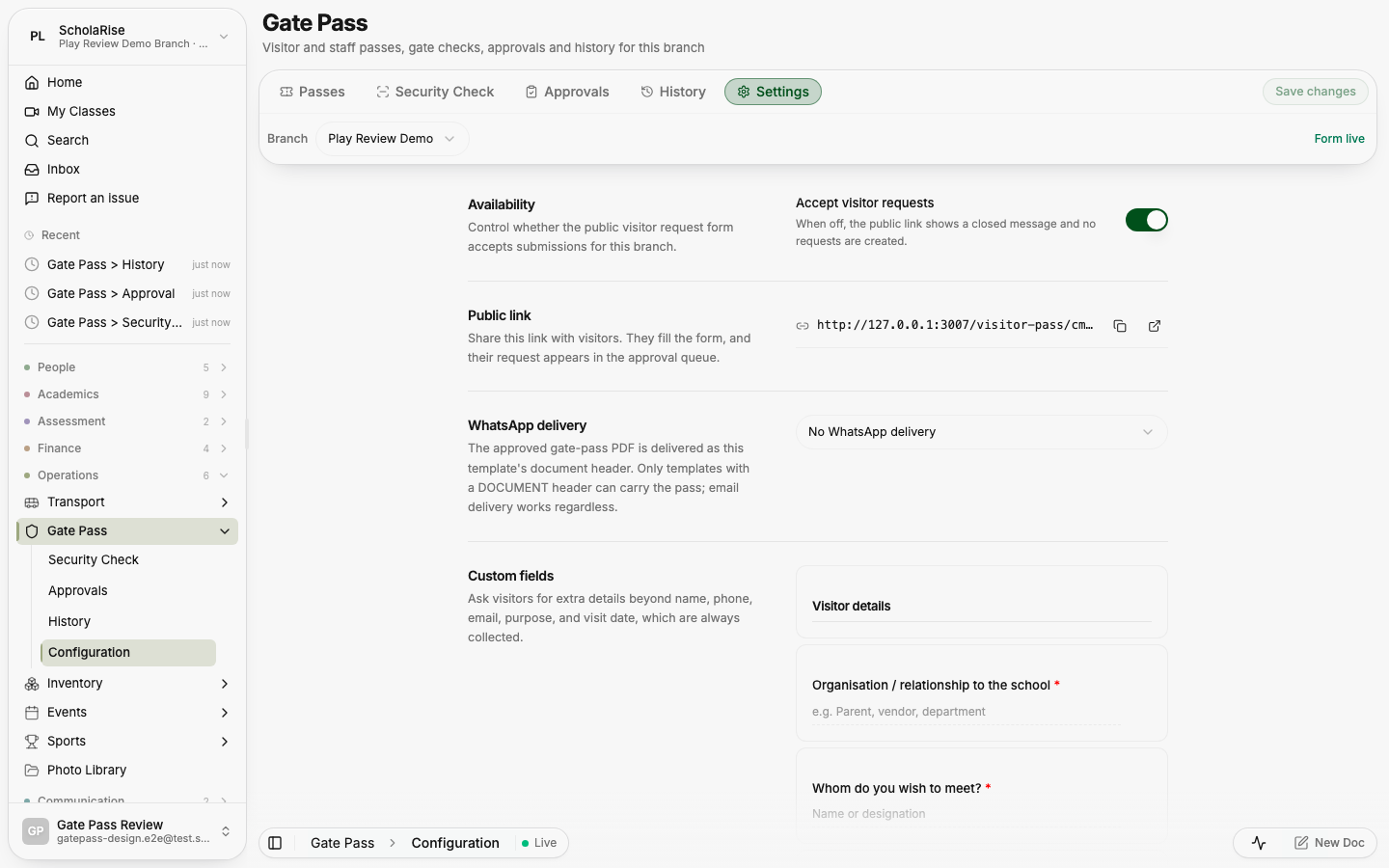
Visitor form settings with the branch picker in the toolbar and Save on the tab row
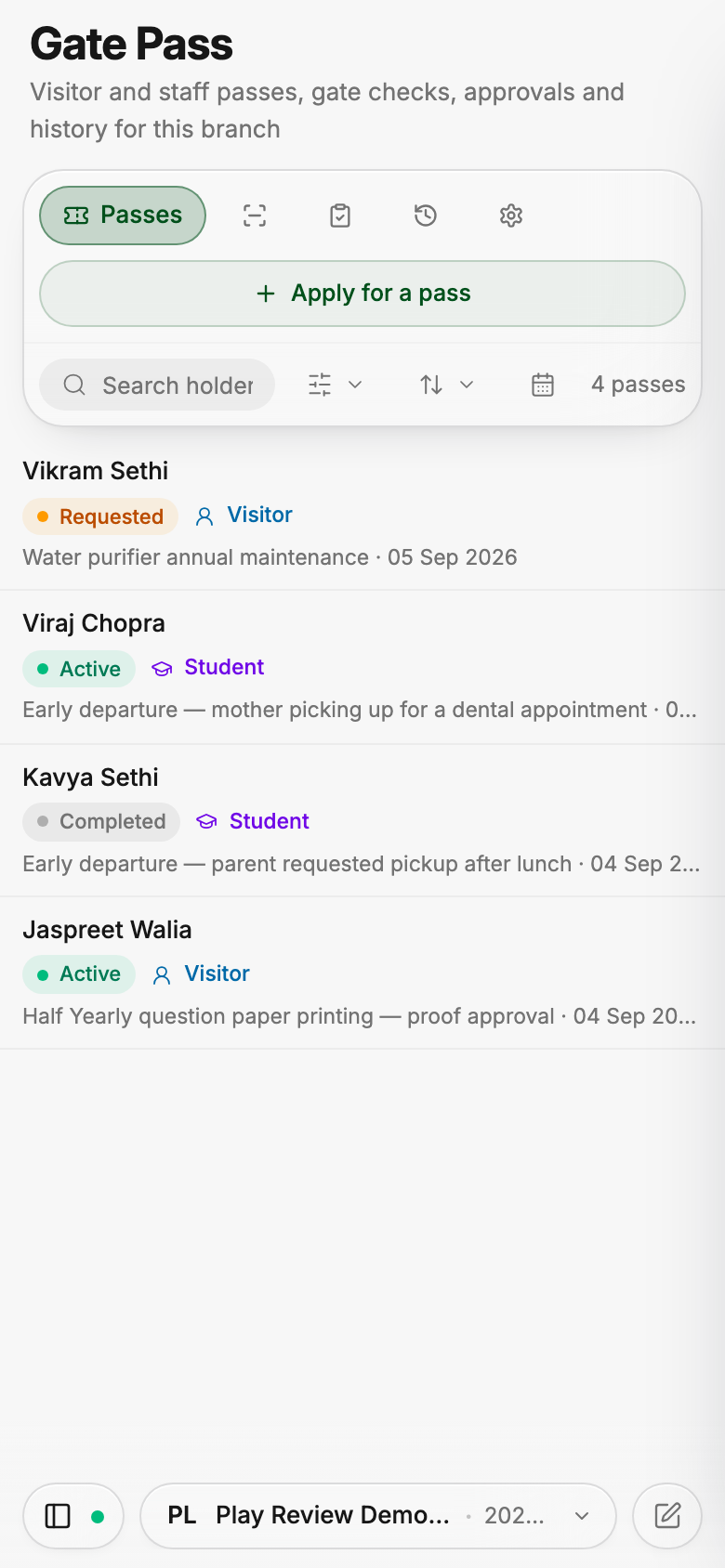
Passes on a phone: the tab bar folds, the toolbar stays on one row
A pass panel full-screen on a phone
Searchable settings
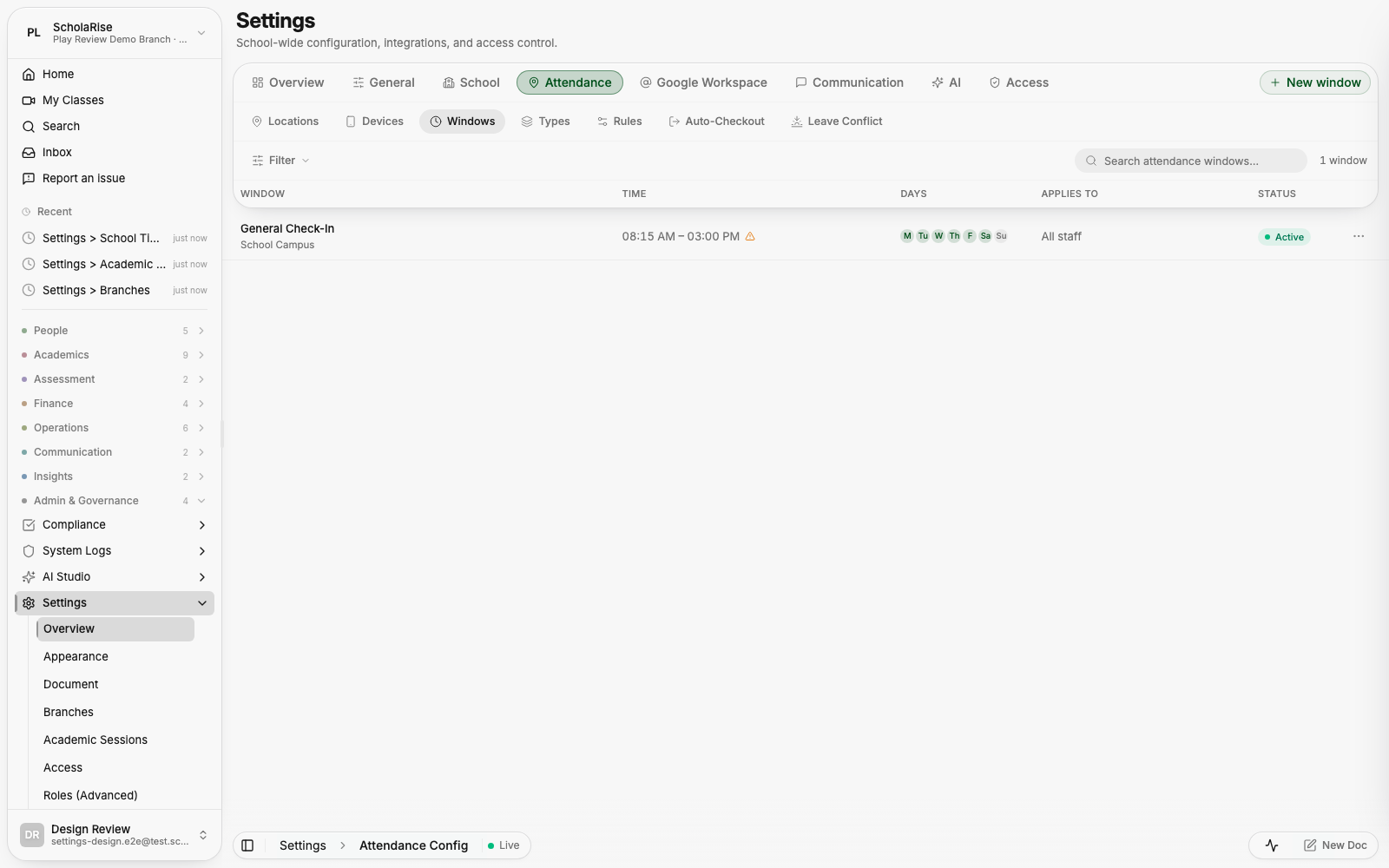
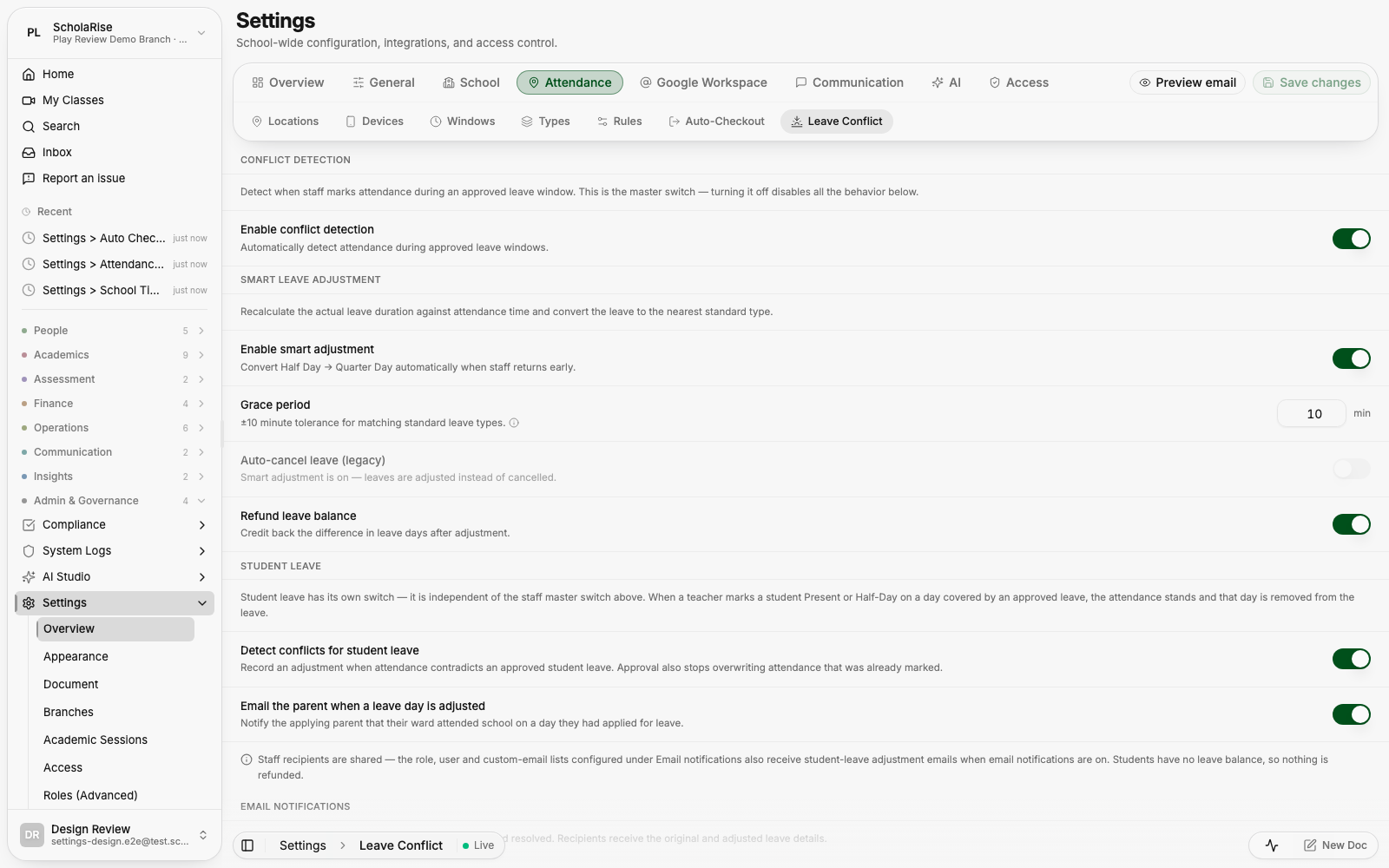
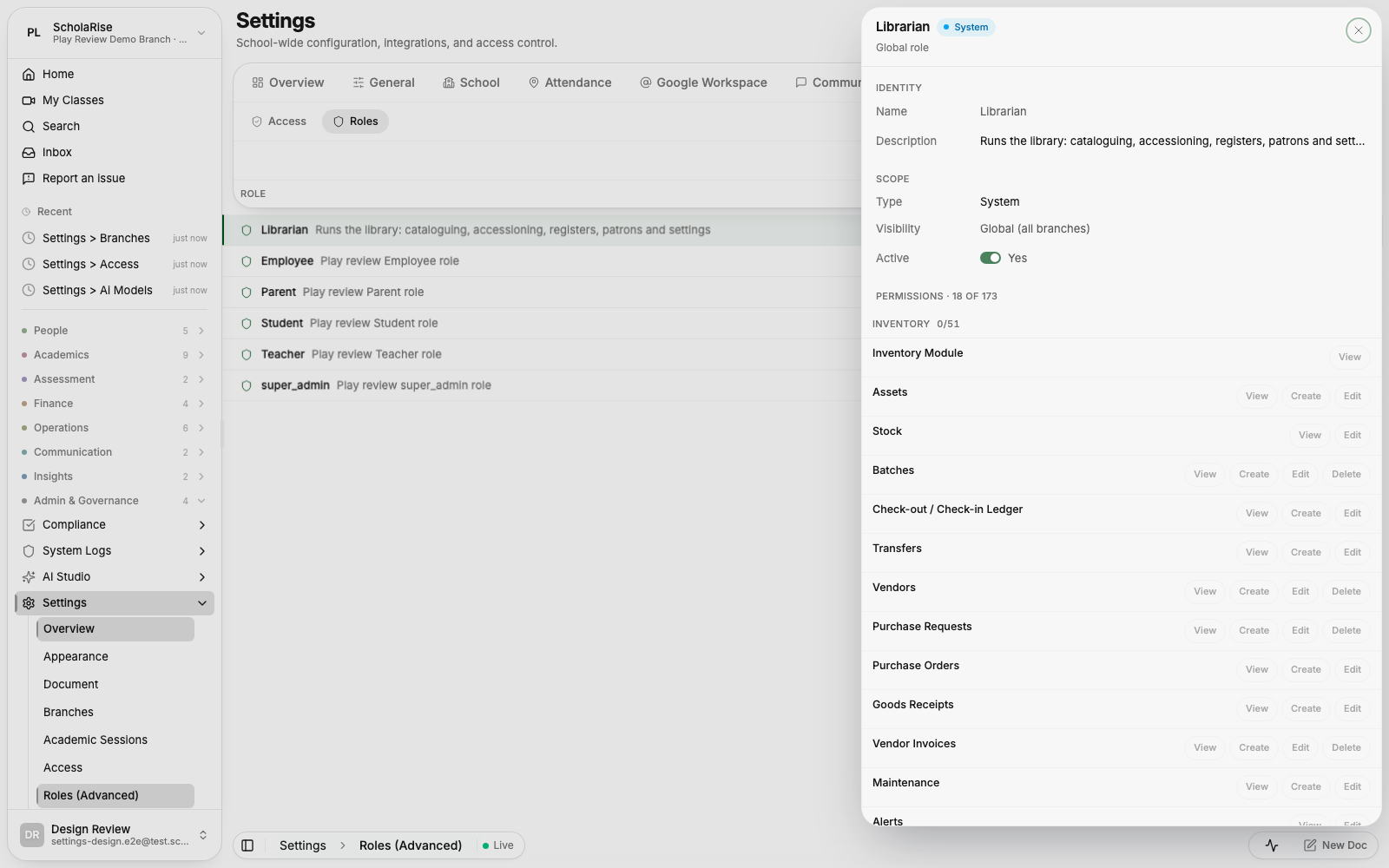
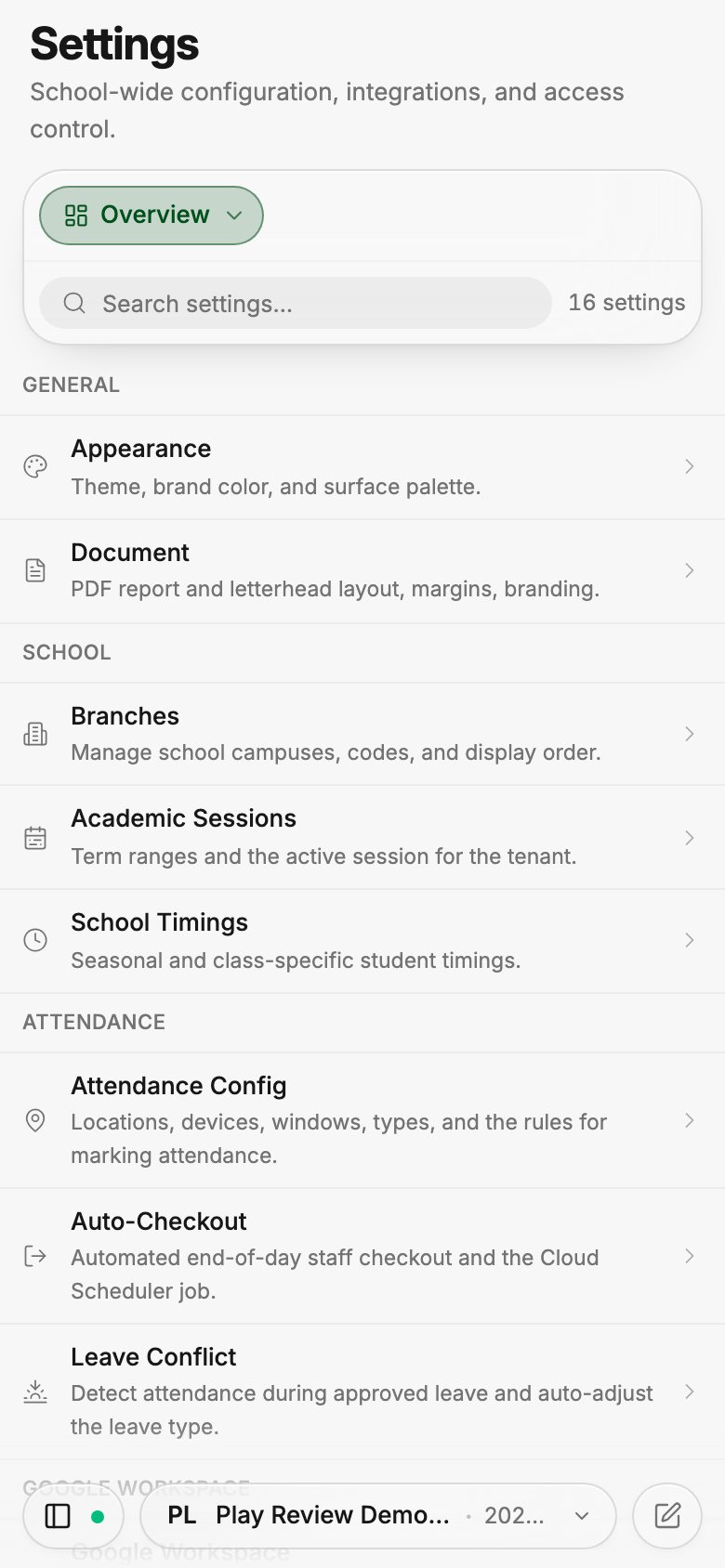
Settings organizes pages into eight groups and adds a searchable overview. Updated layouts make branch details, staff access and attendance setup easier to navigate on phones and desktops.
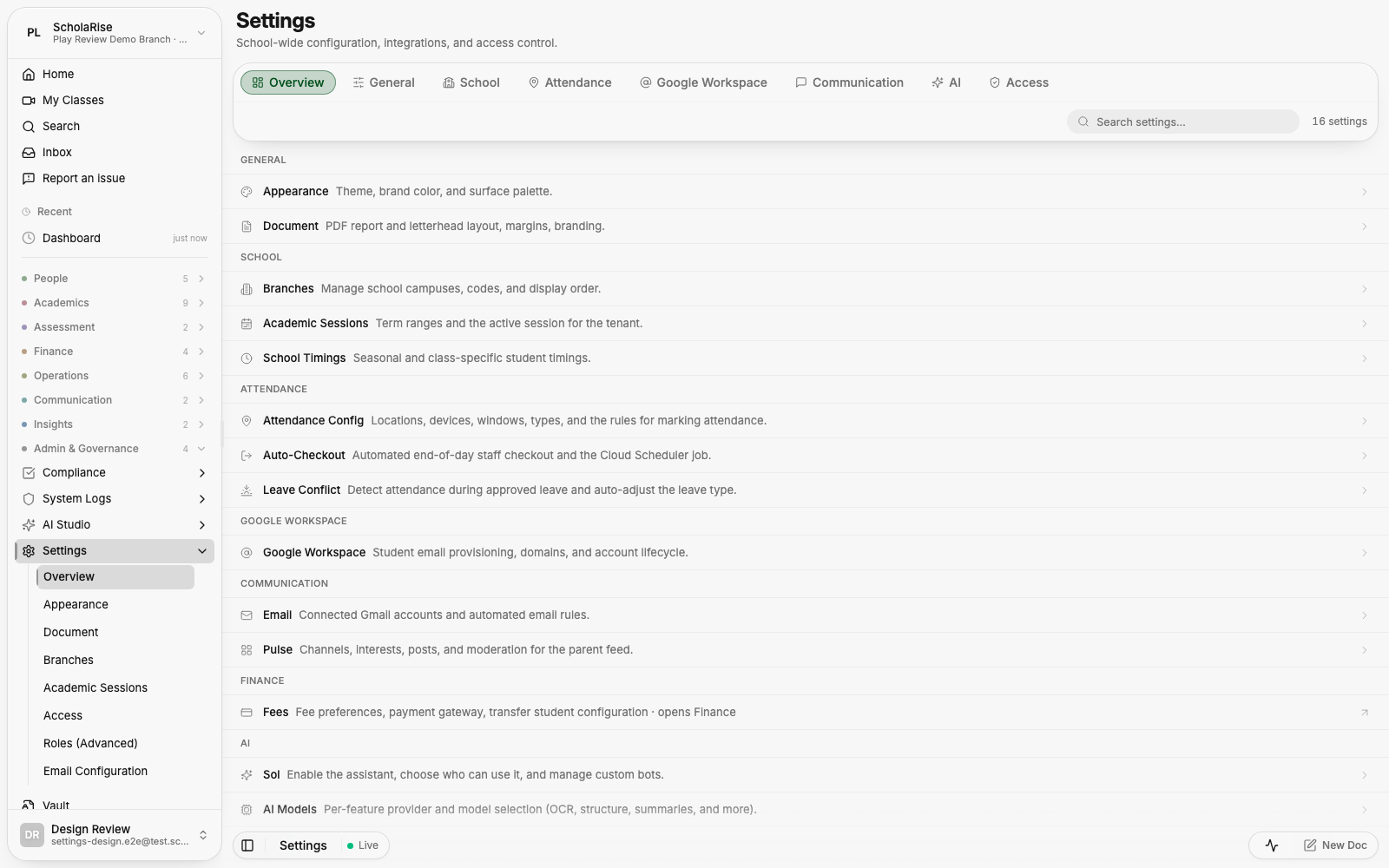
The new Settings overview: grouped tabs and a searchable index of every settings page
Branch details open in a side sheet with inline editing
Attendance windows under the Attendance group
Leave-conflict rules as plain toggle rows
Per-feature AI model selection
A role's permissions in the detail sheet
The Settings overview on a phone
Attendance windows on a phone, with the folded group navigation
A more complete photo library
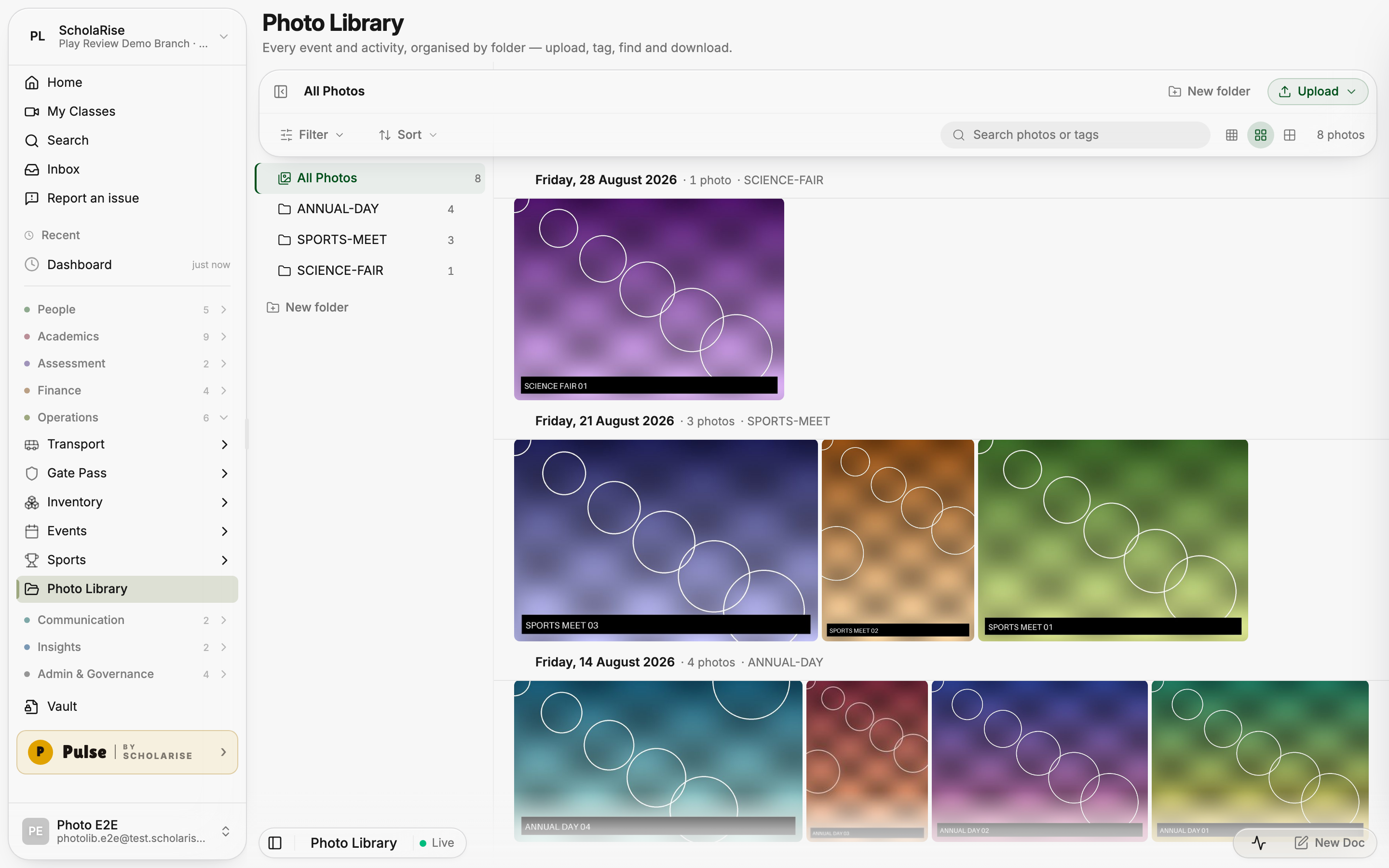
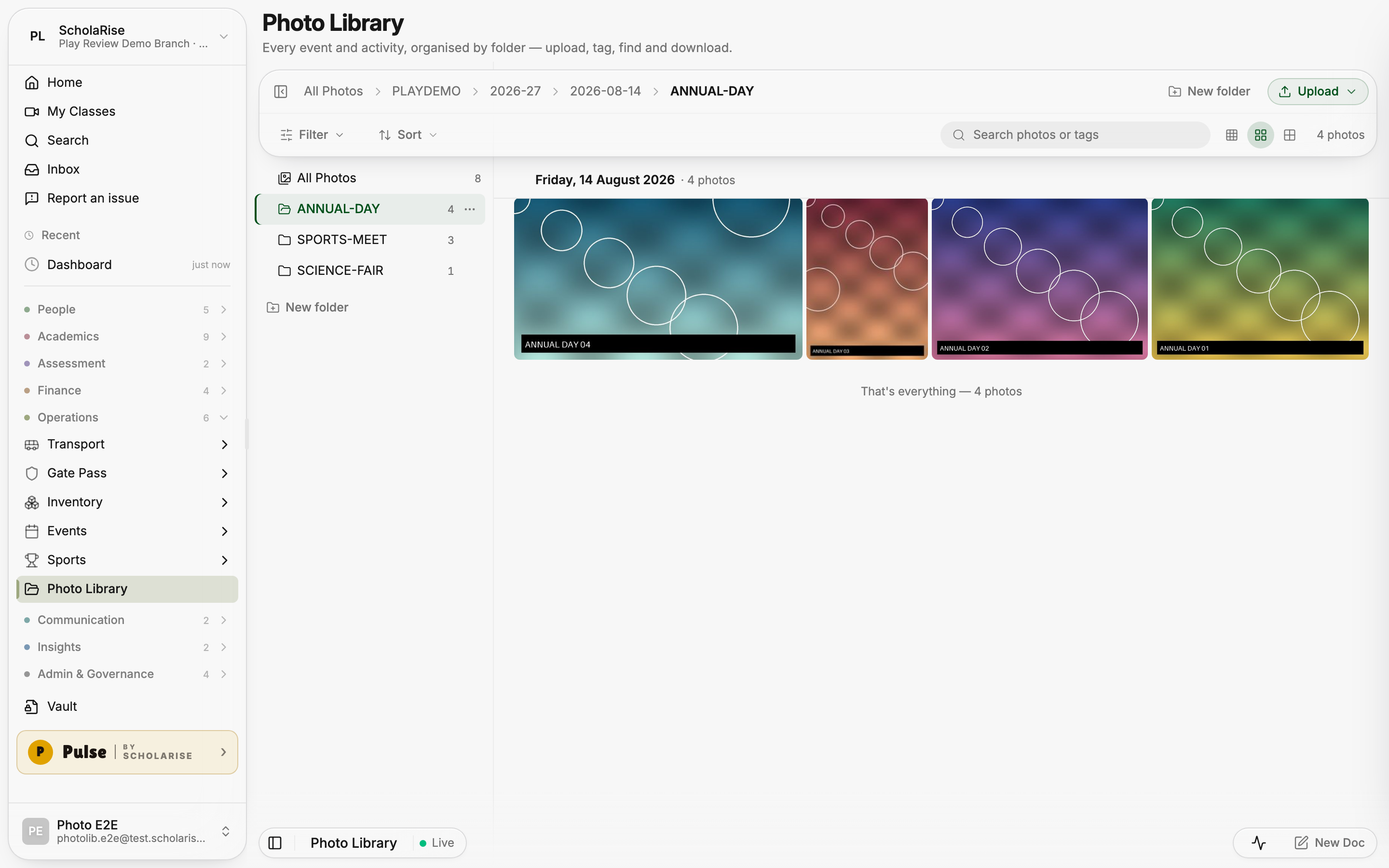
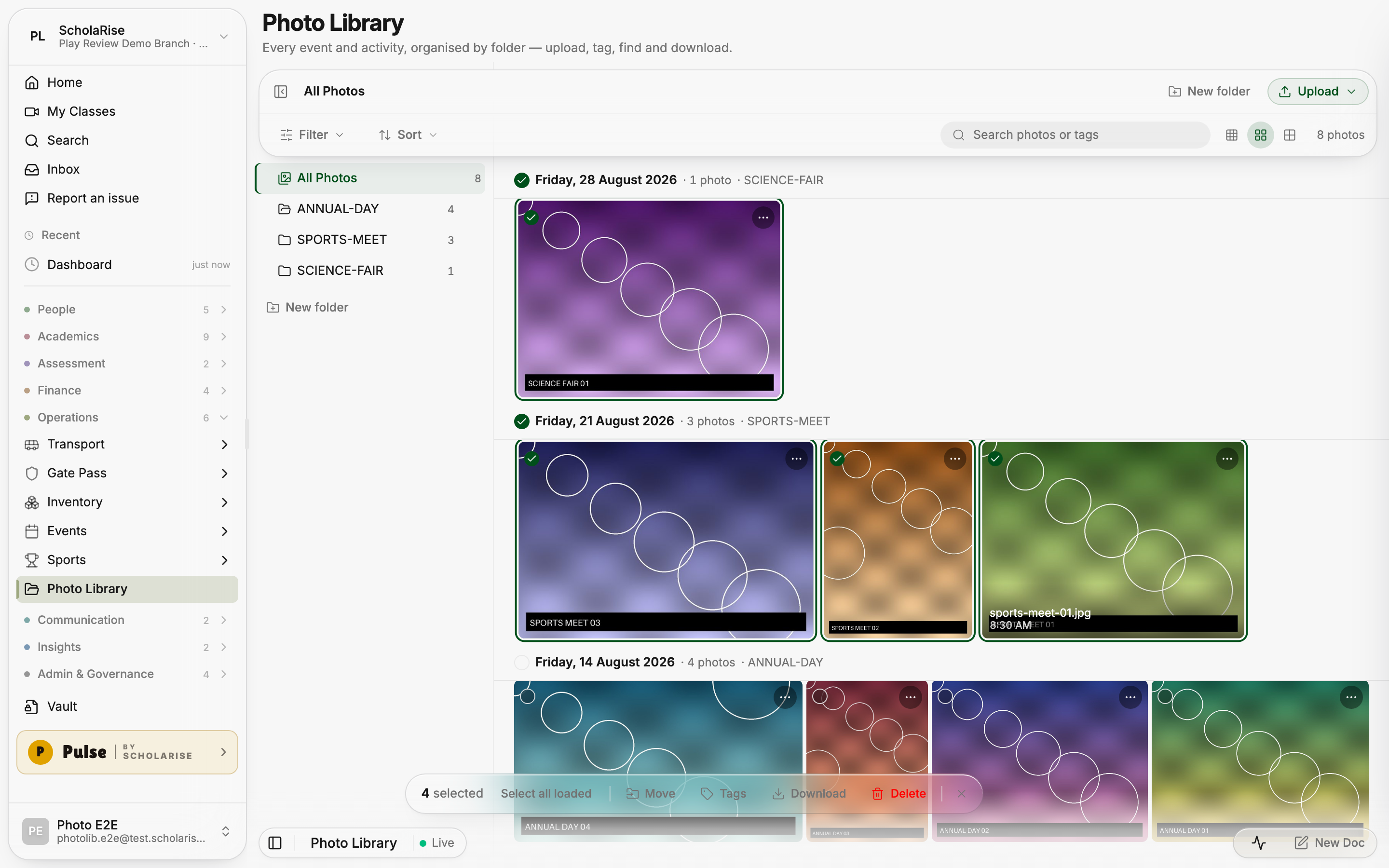
Photo Library loads photos as you browse and recovers photos that were stuck processing. Folders, day grouping, search, tags and bulk actions help you find and organize school photos in the refreshed layout.
Photo Library with folders, day grouping and the new toolbar
Browsing one event folder
Viewing a photo full screen
Photo details with tags, folder and download
Selecting several photos to move, tag or download
Uploading photos for an activity
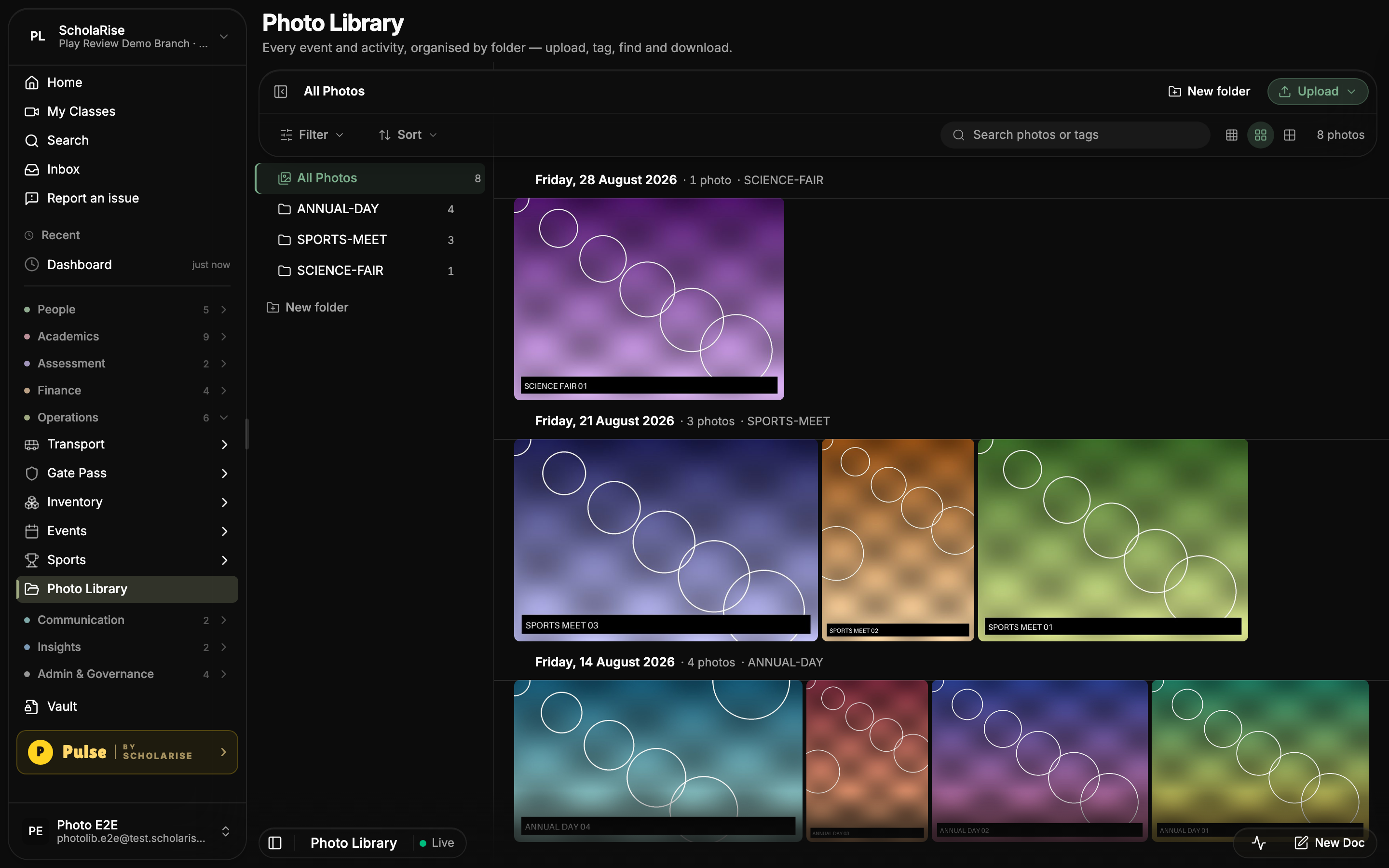
Dark theme
Photo Library on a phone
Book a demoA guided walkthroughWeb · iOS · AndroidAvailable across India
The next step
See ScholaRise in your school.
A real walkthrough with someone who actually runs a school — we'll map what fits your
campus today and what's worth phasing in over the next year.