Skip to content
All releases v1.32.0
v1.32.0

Advance-style add-on subjects can now be timetabled, taught and examined as papers of their own.

The datesheet's subject picker offering Mathematics Advance alongside Mathematics

Examination

Add-on subjects sit their own paper

An advance-style subject that students take on top of a regular one — Mathematics Advance alongside Mathematics, for example — can now be given its own exam paper, its own teacher and its own marks pattern. Everyone sits the main paper, and only the students who chose the add-on sit the extra one. Pick the add-on subject in the datesheet the same way you pick any other.

Timetable

Retired timetables stop showing up

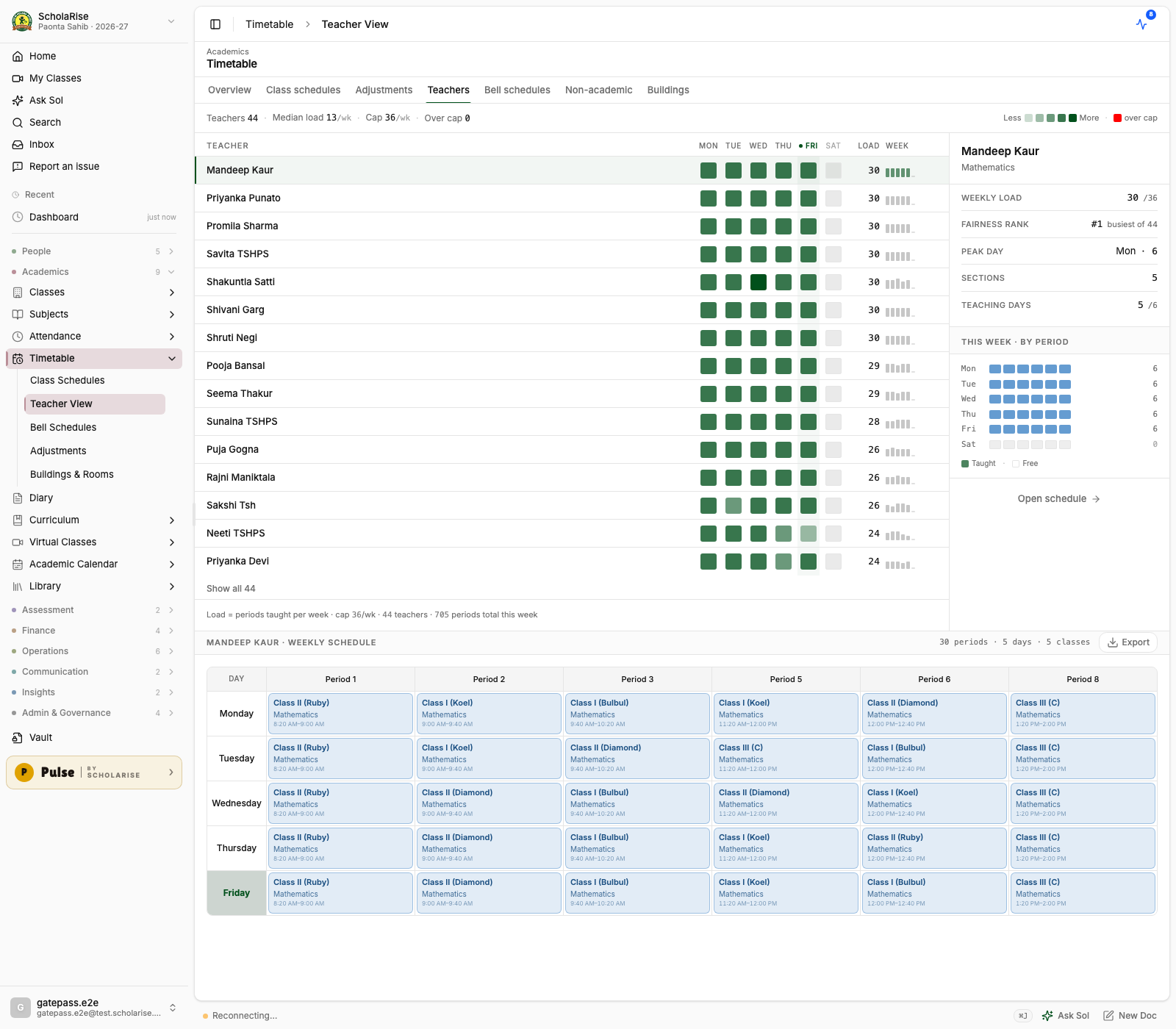
Parent, student and teacher timetables now show only the timetable that is actually in use, instead of stacking an older retired one on top of it. Teacher workload counts, stand-in suggestions and printed timetables follow the same rule, so they match what you see on screen.

Before: a retired schedule rendered on top of the live one — every period doubled and a duplicate column.
After: one clean weekly timetable, and workload counts that match it.
Book a demo Available across India
The next step

See ScholaRise in your school.

A real walkthrough with someone who actually runs a school — we'll map what fits your campus today and what's worth phasing in over the next year.

The walkthrough

Length
30 minutes, no slides
Run by
Someone who runs a school
Available
Across India · web, iOS & Android