Exam seating now follows your real classrooms — paint the benches, keep benchmates off the same paper, and print room prep sheets.
Painting a room's real bench layout
Examination
Paint a room's real bench layout
Set up an exam room by painting its benches onto a canvas — aisles, gaps and uneven rows exactly as the room is furnished — instead of typing a plain number of rows and desks. Presets lay out the usual paired-bench rooms in two clicks, and seat numbers follow from what you paint. Open Examination, go to Exam Rooms and edit a room's seating.
Benchmates never sit the same paper
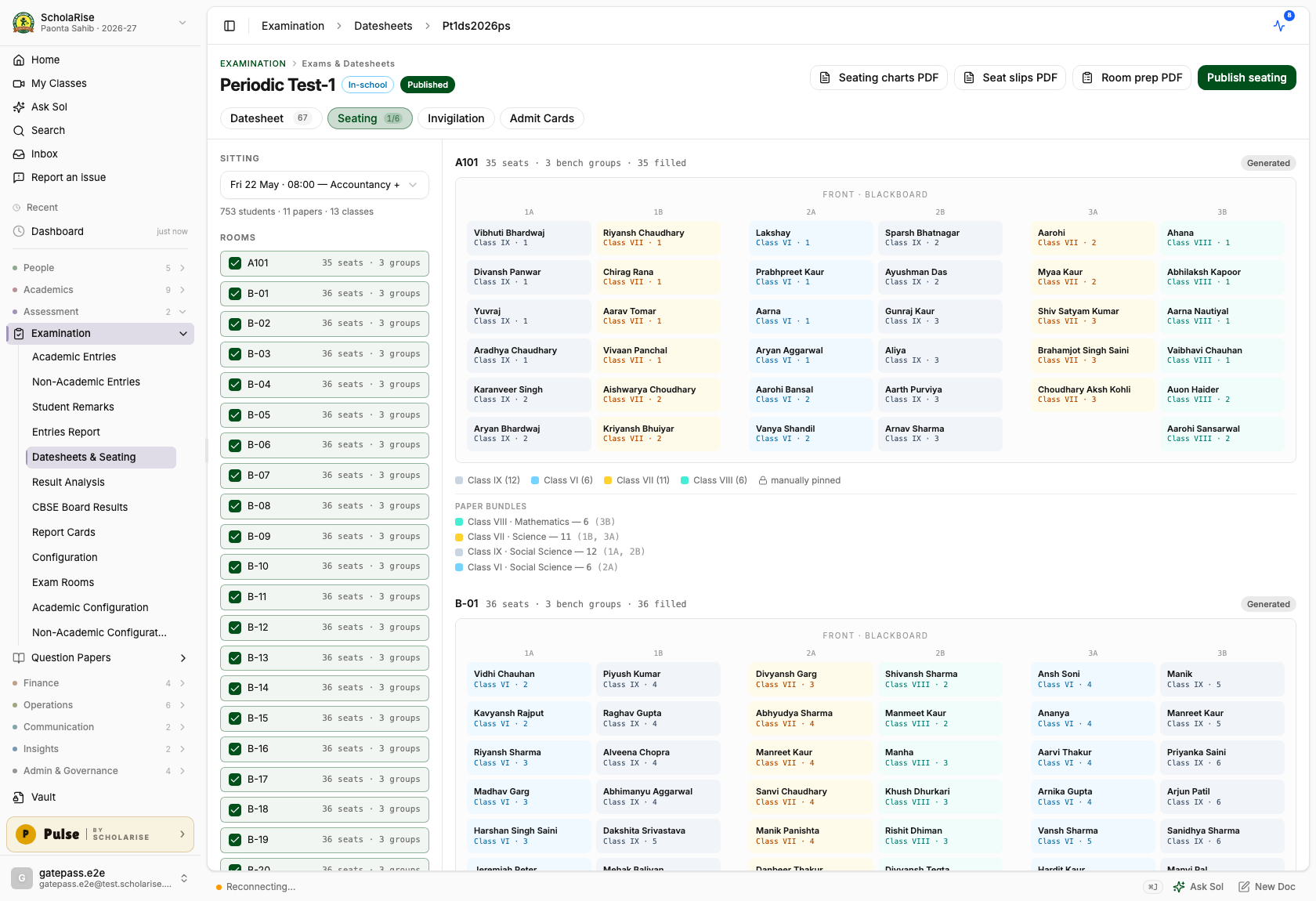
Generated seating now gives each run of benches a single class, front to back in roll order, and alternates within a bench so two students sitting together are never on the same paper. This holds even where two streams sit one shared paper, such as the science streams writing a common mathematics exam. Seats are numbered the way invigilators call them out, so 2B-04 on the chart is 2B-04 in the room.
Generated seating on the real room geometry: one class per column, benchmates always on different papers.
Room prep sheets with exact paper counts
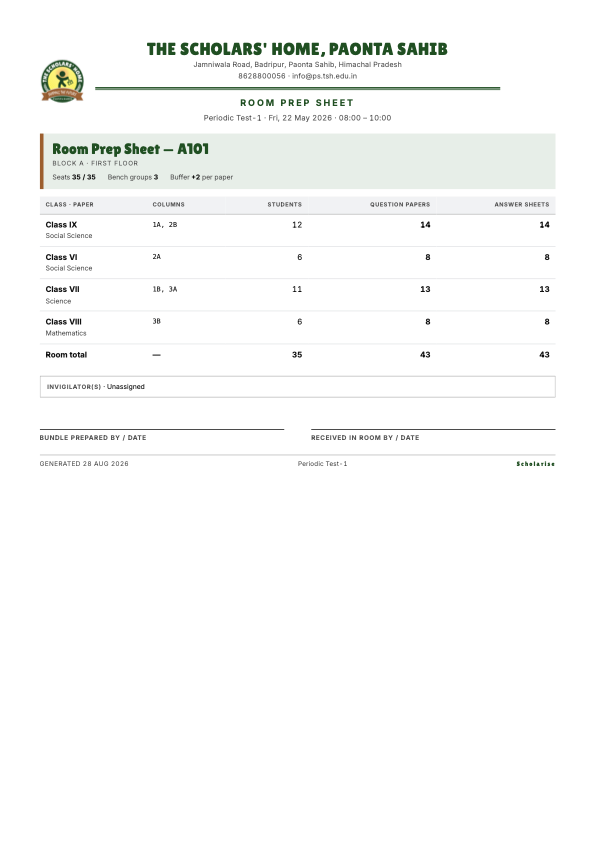
Print a one-page sheet for every room that lists, class by class, how many students sit there, how many question papers and answer sheets to carry — with a few spare copies included — which benches each class occupies, and who is invigilating, with signature lines for handing the bundle over. A print-order summary totals it all up for the room the papers are packed in, and the seating screen shows the same bundle counts per room.
The Room Prep Sheet: exact question-paper and answer-sheet counts per room, ready to staple onto the bundle.
Book a demoA guided walkthroughWeb · iOS · AndroidAvailable across India
The next step
See ScholaRise in your school.
A real walkthrough with someone who actually runs a school — we'll map what fits your
campus today and what's worth phasing in over the next year.