The exam datesheet is now a class-by-date grid you can rearrange by dragging — and it can build itself from three quick questions.
Examination
Datesheet as a class-by-date grid
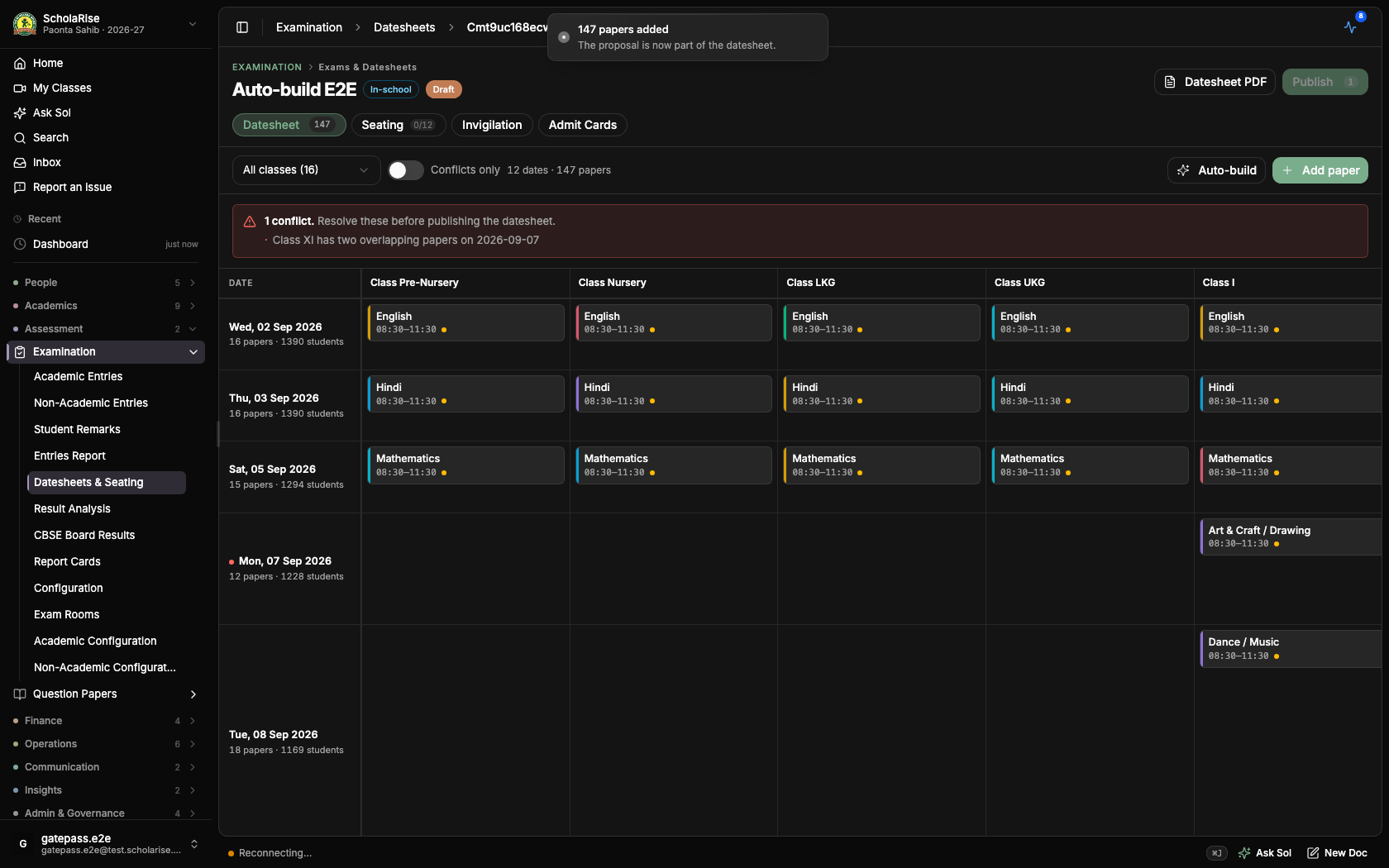
The datesheet screen now lays every exam out as a grid with dates down the side and classes across the top, so you can see at a glance what each class sits on each day. Click an empty cell to add a paper with that date and class already filled in, or click a paper to edit it. Each paper still shows its time, marks, sections, elective group and any clash, and papers shared by several classes appear once under every class they belong to.
A published exam on the new class-by-date grid
Reschedule a paper by dragging it
Drag a paper to another date to move it, instead of opening it and changing the date by hand. Papers shared by several classes move together, and dragging is switched off once an exam is published so a live datesheet cannot be changed by accident.
The datesheet can build itself
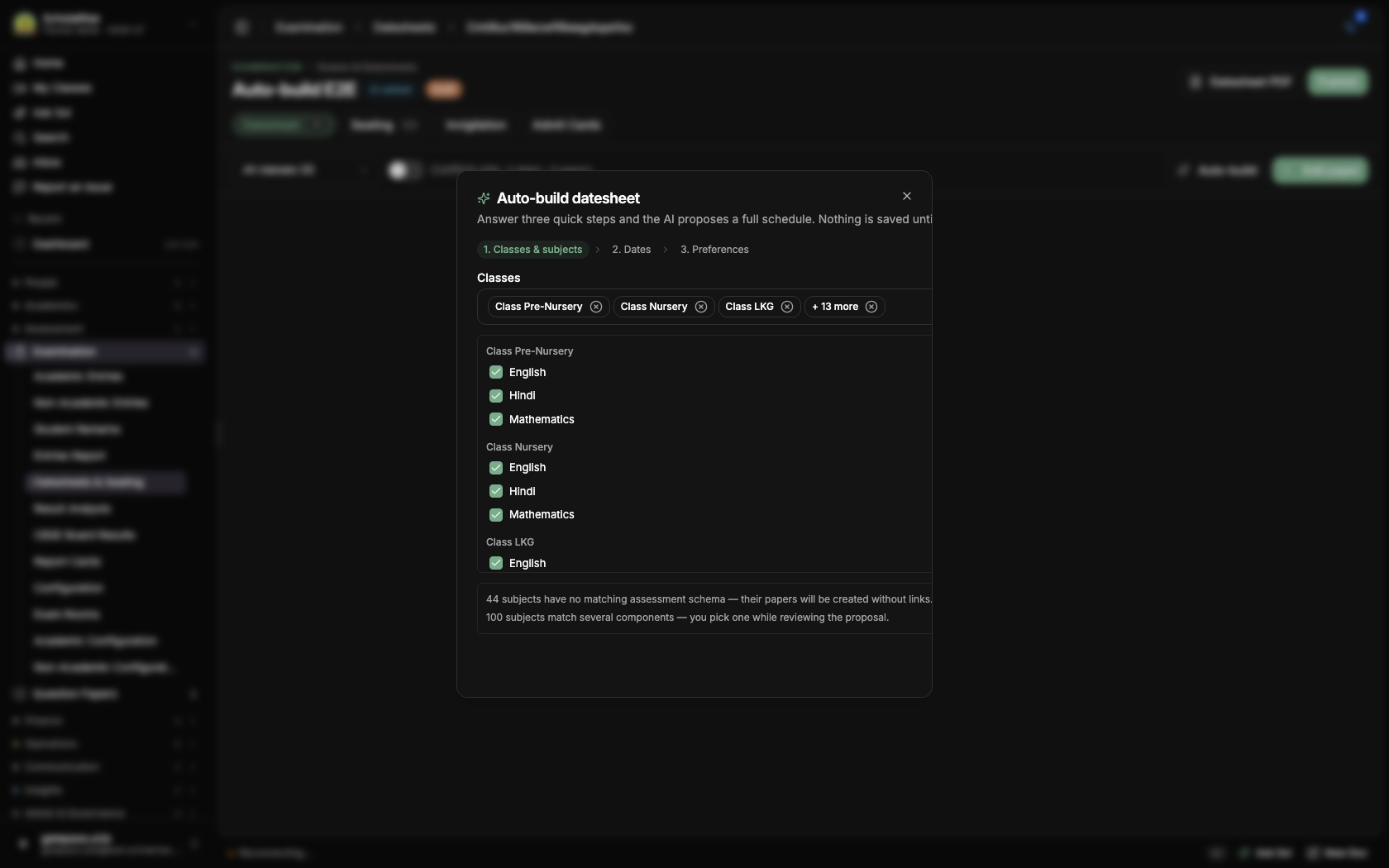
Press Auto-build on any datesheet and answer three short steps: which classes and subjects sit the exam, the dates to use — weekly offs and holidays are skipped for you — and anything else that matters, like keeping two hard papers a few days apart. A full draft schedule then appears in seconds: every subject gets a date, classes sharing a subject sit it on the same day, and each paper is already connected to the right marks column so results flow to report cards without extra setup.
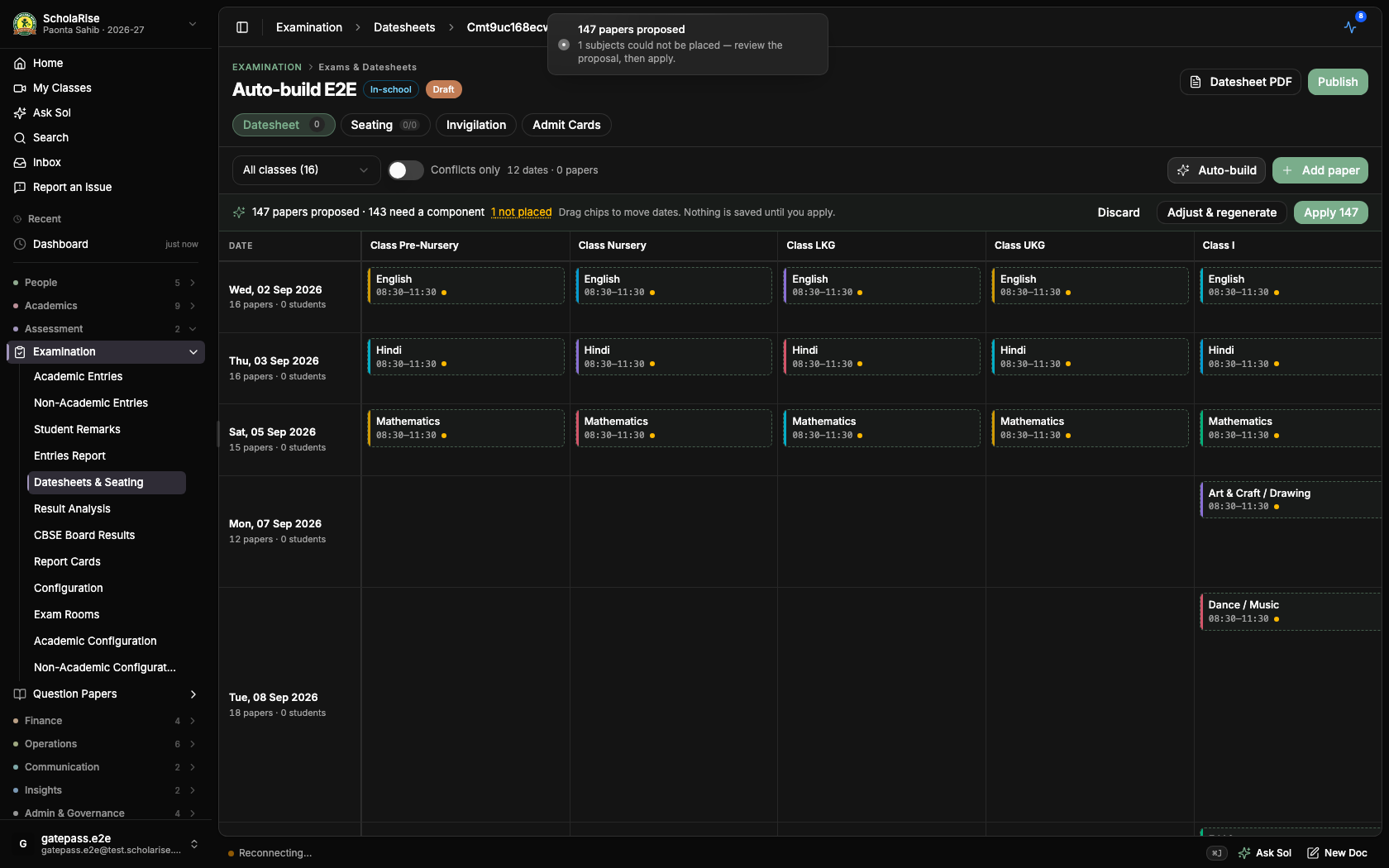
The draft lands on the grid for you to check first: drag papers between dates, remove any you do not want, or pick the marks column yourself where more than one fits. Nothing is saved until you press Apply, and clash checking still guards publishing as usual.
Auto-build step one — pick classes and subjects
The drafted datesheet, ready to review on the grid
One click applies the whole draft, with clash checking still in charge
Elective clashes are always caught
Fixed a rare gap in clash checking: when a subject is offered in more than one elective slot, two overlapping papers for the same class could sometimes slip past unnoticed — whether the clash was flagged came down to chance. The overlap is now always flagged, so a datesheet with a hidden student double-booking can no longer be published.
Book a demoA guided walkthroughWeb · iOS · AndroidAvailable across India
The next step
See ScholaRise in your school.
A real walkthrough with someone who actually runs a school — we'll map what fits your
campus today and what's worth phasing in over the next year.